

Using orboto Mail from an orboto workspace
Connect an orboto workspace's outbound email - invites, notifications, password resets - to orboto Mail in one click.
An orboto workspace sends its own transactional email: invitations, in-app notification emails, password resets, digest summaries. That outbound mail needs a provider configured somewhere, and orboto Mail Service is the recommended one - it's EU-hosted, requires no separate signup, and (for a cloud SaaS workspace) provisions a verified sending subdomain automatically. This page covers connecting an orboto workspace to it; for the standalone product API itself, start at orboto Mail.
Connecting
Go to Admin → System Settings → Email delivery and set Provider to "orboto Mail Service - recommended". A connection card appears below the field group with two ways to finish setup:
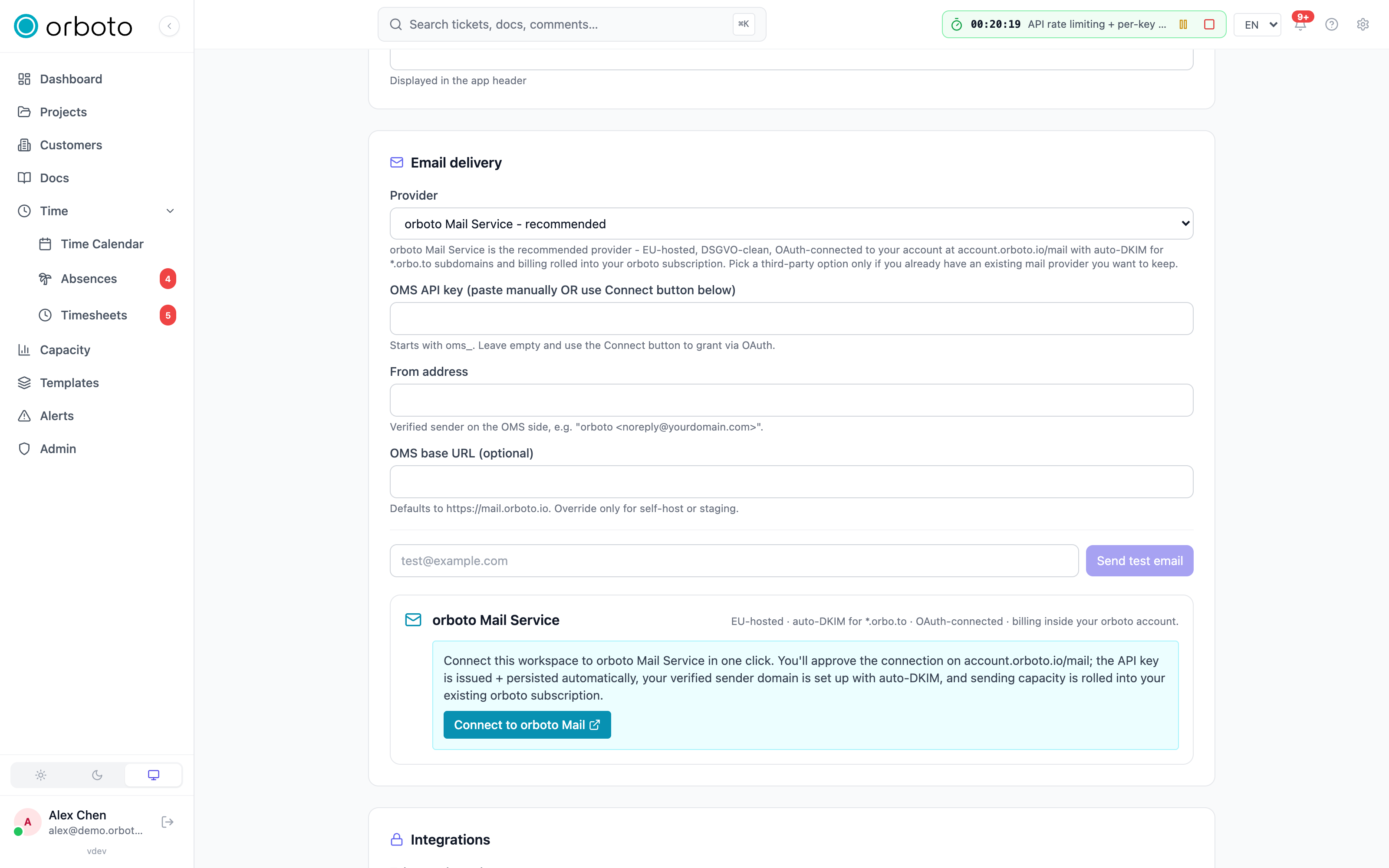
One-click connect (recommended)
Click Connect to orboto Mail. You're redirected to
account.orboto.io/mail to approve the connection; when you come back,
your workspace has:
- an orboto Mail account (created automatically if you didn't already have one),
- an API key issued and stored for you - you never see or handle the raw key,
- sending authorized from the shared, operator-verified identity
noreply@orboto.io- DKIM already configured centrally, so mail starts flowing with zero DNS work, - sending capacity billed as part of your existing orboto subscription rather than a separate account to manage.
The card then shows Connected, the resolved from-address, and the OMS endpoint in use. A Disconnect button revokes the connection on both sides and clears the local configuration - outbound email stops working until you configure a provider again.
Manual API key
If you'd rather not use the OAuth flow - common for self-hosted instances, or when an operator issues keys centrally - fill in the fields directly instead of clicking Connect:
| Field | Value |
|---|---|
| OMS API key | An oms_live_... key from account.orboto.io/mail/api-keys (see Sending email for how keys work), or one issued by your operator. |
| From address | A verified sender on that account, e.g. orboto <noreply@yourdomain.example> - see Sending domains and DNS to verify one. |
| OMS base URL (optional) | Defaults to https://mail.orboto.io. Only change this for a self-hosted or staging orboto Mail deployment. |
A connection made this way shows as "Manually pasted API key (no
connection-id)" on the card - disconnecting only clears the local
configuration, it doesn't notify or revoke anything on the orboto Mail
side (there's nothing to revoke: you control the key directly, so revoke
it yourself at account.orboto.io/mail/api-keys if needed).
Verifying it works
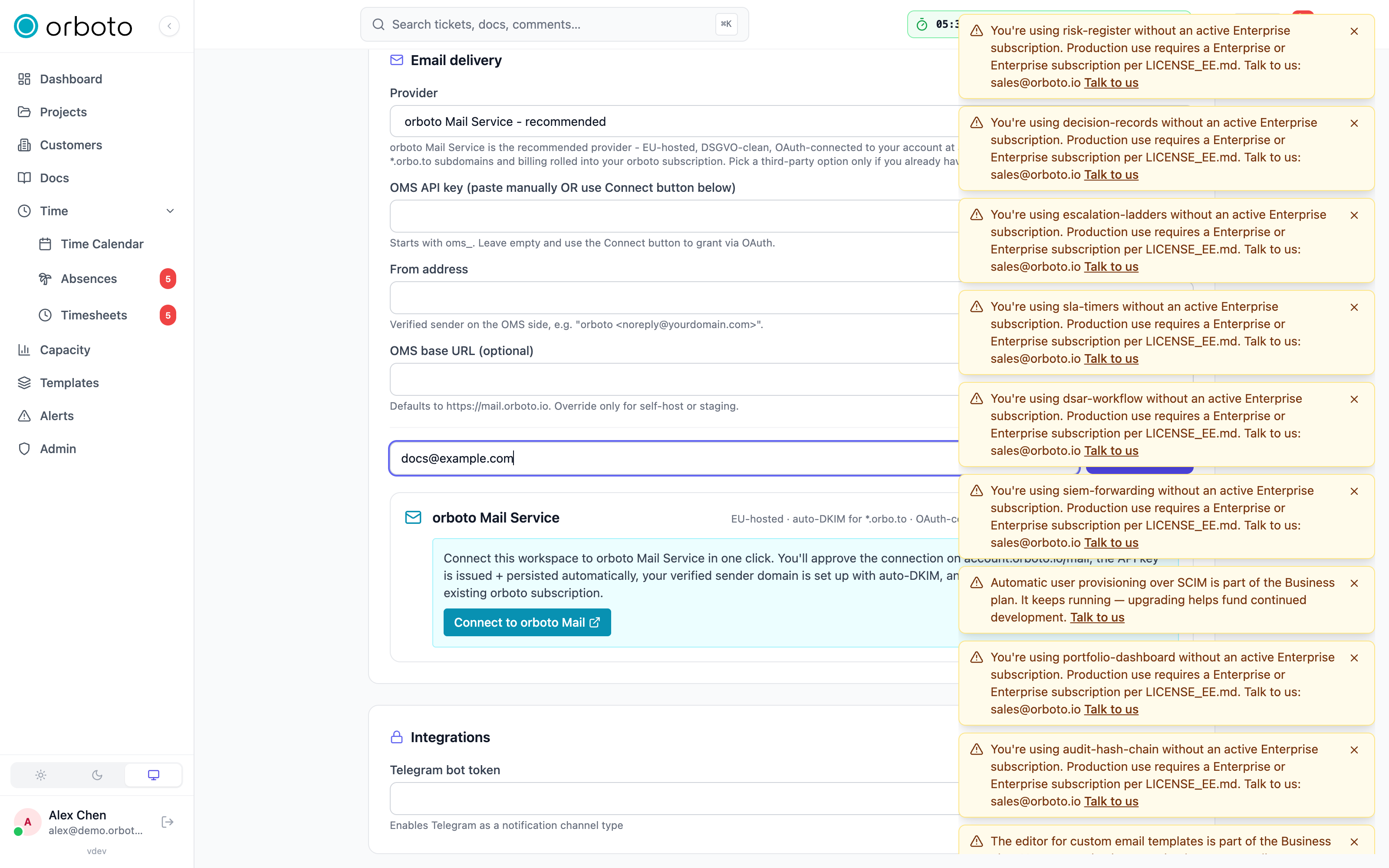
Use the Send test email field at the bottom of the Email delivery section: enter an address and send. A successful test confirms the whole path - provider selection, credentials, and sender-domain verification - in one click, without needing to trigger a real invitation or notification.
How your workspace picks a provider
Email delivery isn't limited to orboto Mail - System Settings also supports Resend and a plain SMTP server, and picks between them in this order: an explicit Provider selection always wins; if it's unset, your workspace prefers orboto Mail if an API key is present, then Resend, then SMTP. If you're running on orboto's managed cloud, your workspace may already have orboto Mail configured for you by the operator as part of provisioning - the Email delivery section still shows and lets you override it.
Troubleshooting
| Symptom | Fix |
|---|---|
| Connect to orboto Mail button does nothing or errors | Check your workspace can reach account.orboto.io (outbound HTTPS), and check the system logs for the connect attempt. You can always fall back to pasting an API key manually while investigating. |
| Test email fails with a from-domain error | Your From address field's domain isn't verified yet on the connected orboto Mail account. If you connected via OAuth, sending is authorized for the shared noreply@orboto.io identity - check the from-address actually uses it. If you pasted a manual key against your own custom domain, verify it first - see Sending domains and DNS. |
| Test email fails with an authentication error | The API key is invalid or was revoked - most commonly because the connection was disconnected from the account.orboto.io/mail side. Reconnect, or paste a fresh key. |
| I disconnected by mistake and workspace email stopped | Outbound email has no automatic fallback provider - reconnect (or select a different provider) in Email delivery. Nothing queued during the outage is lost; it simply wasn't sent, so time-sensitive mail like password resets should be re-triggered by the affected user. |
| I want to see exactly what was sent | account.orboto.io/mail/sends shows your connected account's full send history, or query GET /v1/sends directly - see Sending email. |