

orboto AI
The managed AI provider built into orboto - working AI features from day one, with no account or key from another company required.
Every AI feature in orboto - the AI Chat assistant, semantic search, duplicate and related-ticket detection, ticket and doc summaries, Ask-Docs, translation, and more - runs on a model provider configured once in Admin -> AI settings. orboto AI is one option for that provider: a model connection orboto operates on your behalf, so these features work without you first creating an account with an AI company, generating an API key there, and pasting it in.
This page explains what orboto AI is and where it's available. For the metered side (what's included, what happens when you use more than that), see Usage and limits. If you'd rather connect your own provider account instead - or in addition, since chat and embeddings are configured independently - see Bring your own provider.
What it covers
Every AI feature draws on one of two independent capabilities, and orboto AI supplies both:
- Chat and completion - the model behind the AI Chat assistant, ticket and doc summaries, translation, and every other feature that generates text.
- Embeddings - the vector model behind semantic search, duplicate and related-ticket detection, and Ask-Docs.
Because the two are configured independently, you can also mix: for example, use your own Anthropic account for chat (Anthropic has no embeddings endpoint) while keeping orboto AI for embeddings, or the reverse. See Bring your own provider for how that independence works in the settings UI.
orboto AI is hosted in the EU.
Where it's available
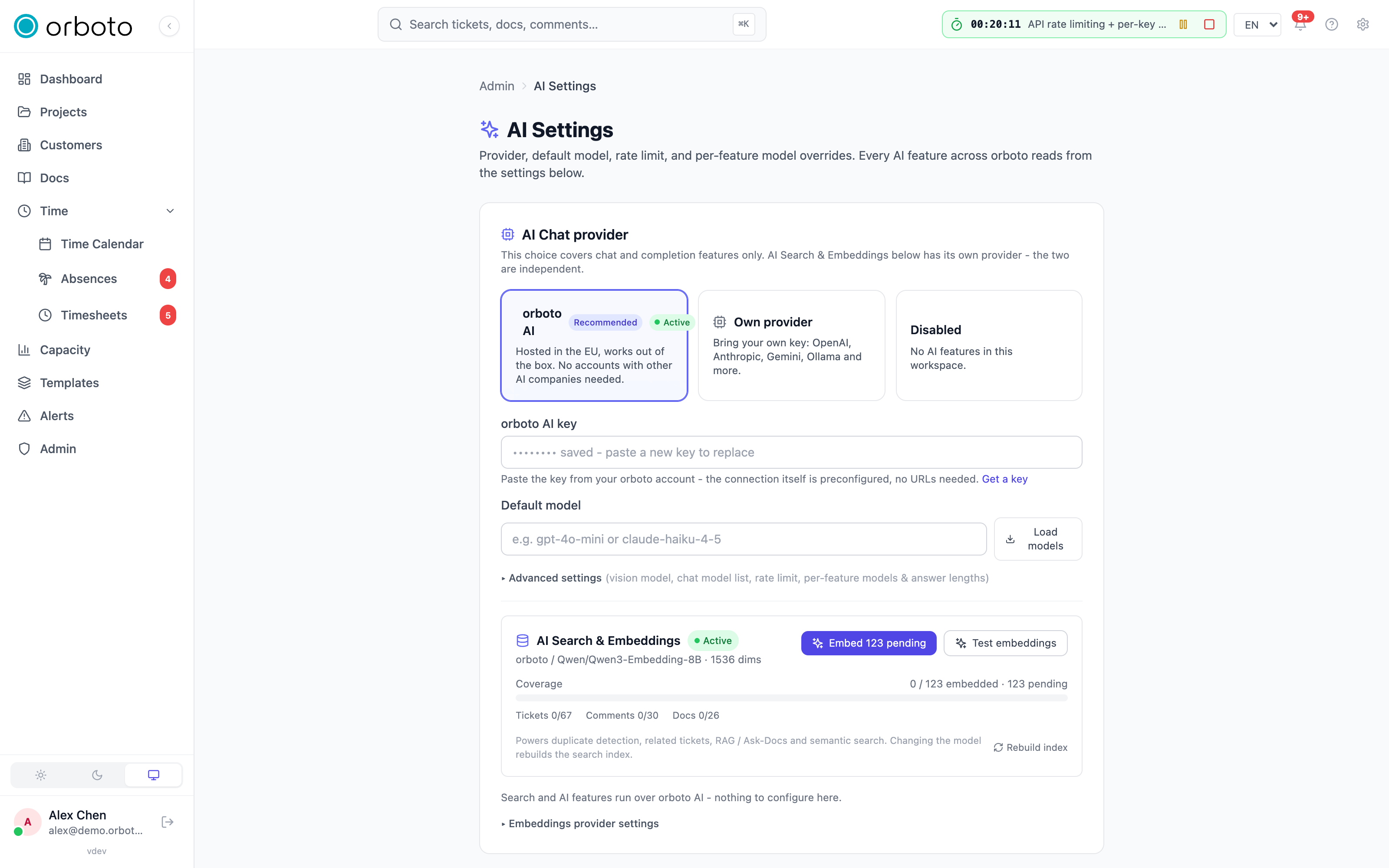
On a managed cloud workspace, orboto AI works out of the box: nothing to paste, nothing to sign up for elsewhere. Usage is billed pay-as-you-go from your workspace's wallet, as part of your subscription - see Usage and limits for how that's tracked and what happens if you use more than your plan includes.
On a self-hosted instance, there is no automatic wiring - self-hosting means you run the application yourself, and orboto has no standing connection into your instance to provide one. You can still use orboto AI: open Admin -> AI settings, pick the orboto AI card, and paste a key from your own orboto.io account (get one at orboto.io). From that point it behaves exactly like the managed case - one key, no base URL or model wiring to figure out - except you fetched the key yourself instead of it being provisioned for you. This is really the same mechanism as connecting any other provider (see Bring your own provider); orboto simply happens to be one of the vendors on the list.
Turning it on or off
Every workspace - cloud or self-hosted - has three choices for the chat provider, and (independently) for the embeddings provider: orboto AI, your own provider, or disabled. Switching between them is lossless: the settings for whichever provider you switch away from are kept, so switching back later restores them instead of making you re-enter everything.
The full click-by-click walkthrough, including the embeddings subsection and per-feature model overrides, lives in AI providers and models.
Troubleshooting
- I don't see a way to change the AI provider. Only a super-admin or a
user with the
admin:ai:writepermission can change it. Ask a workspace admin to either make the change or grant you that permission. - AI features are off entirely. Someone chose the Disabled card in Admin -> AI settings. Pick orboto AI or your own provider to turn features back on.
- Chat works but search/Ask-Docs/duplicate detection doesn't (or vice versa). Chat and embeddings are separate provider choices - check both sections in Admin -> AI settings, not just one.
- AI features stopped working and nothing was changed in the UI. On a managed workspace this is usually the metered allowance, not a configuration problem - see Usage and limits for what a paused state looks like and how to resolve it.
Send feedback and follow your reports
Report a bug, give feedback or request a feature from inside your cloud workspace, and follow each report's owner, status and replies.
Usage and limits
How orboto AI's included allowance, overage and wallet work, where to watch consumption, and what happens when it runs out.