

Governance overview
What the Enterprise Governance toolset is for, who it's aimed at, and how its pieces fit together.
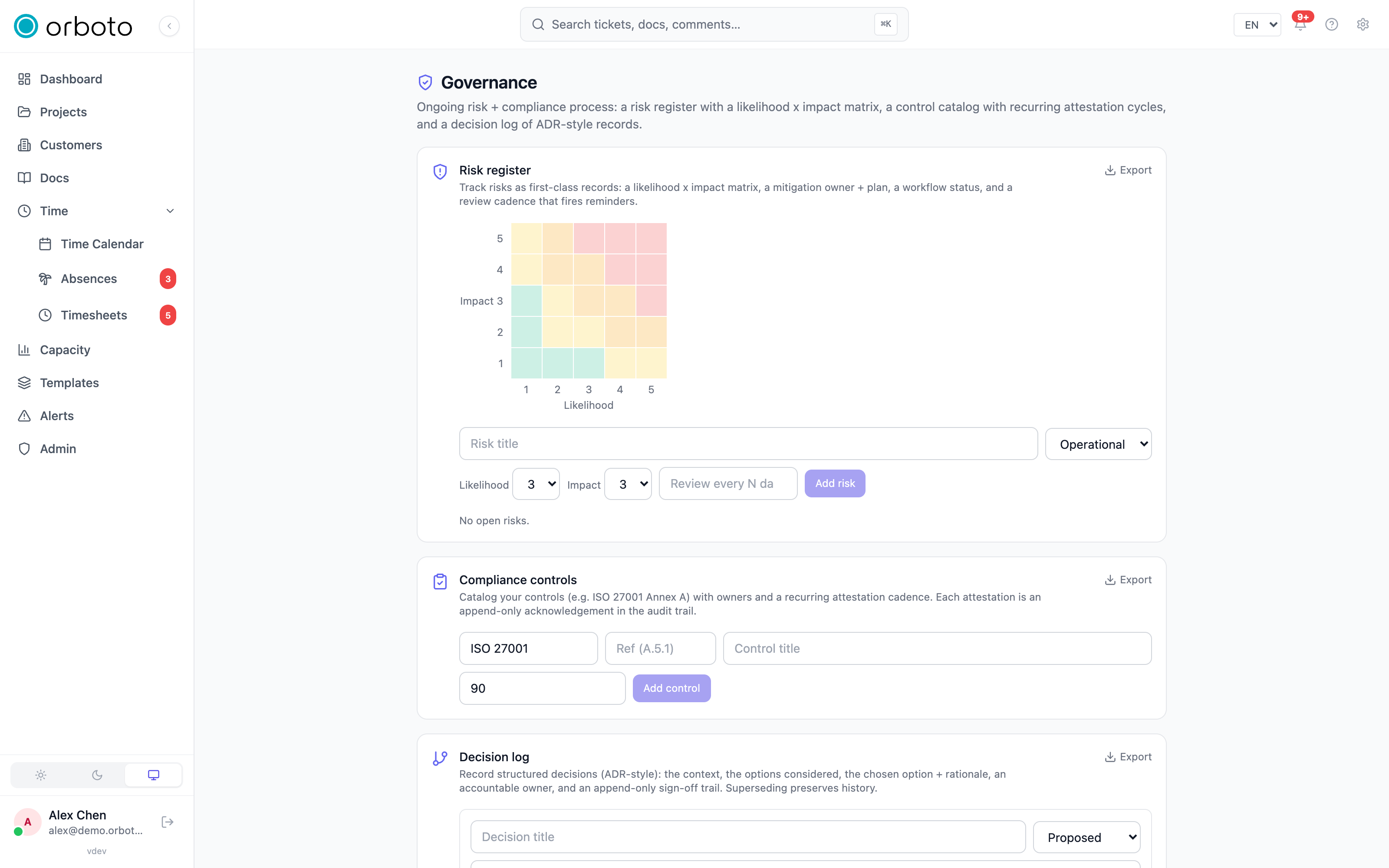
Admin -> Governance is a set of tools for teams that need to prove - not just do - disciplined risk management and decision-making: think ISO 27001 audits, SOC 2 evidence requests, enterprise customer security questionnaires, or simply a growing team that wants "why did we decide this" to stop living in someone's memory or a Slack thread that scrolled away. It's an Enterprise feature; see the note at the bottom of this page for how it behaves on other editions.
Who this is for
If you've never needed to answer "show me your risk register" or "who signed off on that architecture change" from an auditor, customer security team, or your own leadership, this toolset will feel like overhead you don't need yet - and that's a fair read for a small team moving fast. It earns its keep once any of the following starts being true: you're pursuing a compliance certification, a customer's security review asks for evidence of a formal decision process, you've been burned by a risk nobody tracked until it became an incident, or your team has grown past the point where "everyone just remembers why we did that" still holds.
The three pieces
Governance splits into three focused surfaces, each documented in its own guide:
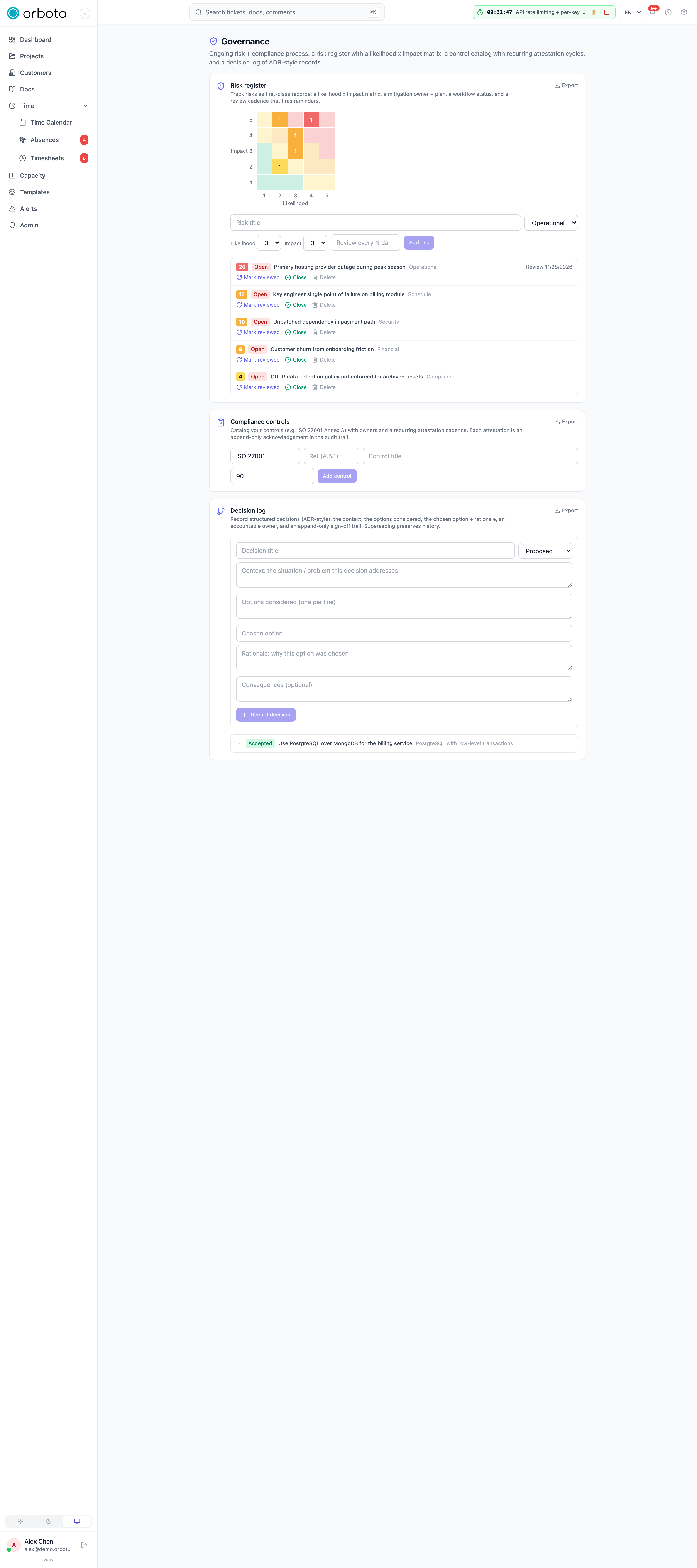
- Decision records - a structured, ADR-style log of significant decisions: the situation, the options considered, what was chosen and why, an accountable owner, and an append-only sign-off trail. Answers "why did we do it this way" for anyone asking six months later.
- Risk register - risks tracked as first-class records with a likelihood x impact matrix, a mitigation owner and plan, a workflow status, and a recurring review cadence that reminds you before a risk goes stale. Answers "what could go wrong, and who's watching it."
- On-call and escalations
- who's on duty right now, and the tiered chain that makes sure an unacknowledged alert or SLA breach eventually reaches an actual human rather than sitting unnoticed. Answers "if something goes wrong at 3am, who finds out."
A fourth card on the same admin page, the compliance control catalog, lets you catalog controls from a framework you're attesting to (for example ISO 27001 Annex A) with an owner and a recurring attestation cadence - each attestation is an append-only acknowledgement written to the audit trail, the same evidentiary pattern as decision sign-offs. It is documented in the Compliance control catalog guide.
The common thread: the trail is the deliverable
Every mutation across this toolset - creating a risk, recording a decision, signing off, acknowledging an escalation, filing an attestation - is written to orboto's audit log with the actor and the details. None of these tools exist to make you do more process for its own sake; they exist so that when someone asks for evidence of the process you already run, you can export it instead of reconstructing it from memory. Both the risk register and the decision log offer a direct Export button for exactly this - a machine-readable evidence dump you can hand to an auditor or attach to a customer questionnaire response.
Edition note
Governance tools are an Enterprise feature. On Community and Business editions the pages and API routes still work, and every action still gets recorded - but a soft-warn indicator appears on the License page once you actually start using them (creating a risk, recording a decision, and so on). Nothing you enter is ever blocked or hidden; Enterprise unlocks the license without the reminder banner, not the underlying functionality.
Permissions
Each surface gates independently: reading needs the matching :read
permission (admin:risk:read, admin:decision:read,
admin:oncall:read, admin:escalation:read), mutating needs the
:write counterpart. A user who can read risks but not decisions, for
example, sees only the risk register card on this page - the others
simply don't render for them.
Primer facts
Structured facts about your projects that power the AI agent primer and requirements reports - categories, review workflow, and where they surface.
Decision records
Record significant decisions ADR-style - the context, the options, the choice, the rationale, and a sign-off trail - so the reasoning survives.