

Primer facts
Structured facts about your projects that power the AI agent primer and requirements reports - categories, review workflow, and where they surface.
The concept
When an AI agent (or a human relying on AI-generated context) starts work on a project, it needs to know things a codebase alone can't always tell it: which package manager to use, that a particular migration step is handwritten rather than generated, what the deployment process actually looks like, or a hard-won gotcha that cost someone a debugging session last month. Writing this down once, in a structured way, is far more reliable than hoping an agent rediscovers it
- or worse, guesses wrong - every single time.
A primer fact is exactly that: one small, structured piece of project (or workspace) knowledge - a key, a value, and a category - that gets automatically included whenever an agent (or a generated report) asks for a project's primer: its onboarding briefing.
Categories
Every fact belongs to one category, which determines where it renders in the primer and in generated reports:
| Category | What belongs here |
|---|---|
| Tech stack | Languages, frameworks, major dependencies, versions |
| Conventions | Coding standards, naming rules, commit message format |
| Deployment | How and where the project ships, environment specifics |
| Architecture | High-level structure, module boundaries, key design decisions |
| Integrations | External services and APIs the project talks to |
| Gotchas | Hard-won, non-obvious pitfalls worth flagging up front |
| Commands | Exact CLI commands to build, test, run, or deploy |
| Non-functional | Explicit non-functional requirements - performance, security, data-protection, operational targets |
| Glossary | Project- or domain-specific terminology and definitions |
| Other | Anything that doesn't fit the above |
Scope: workspace vs. project
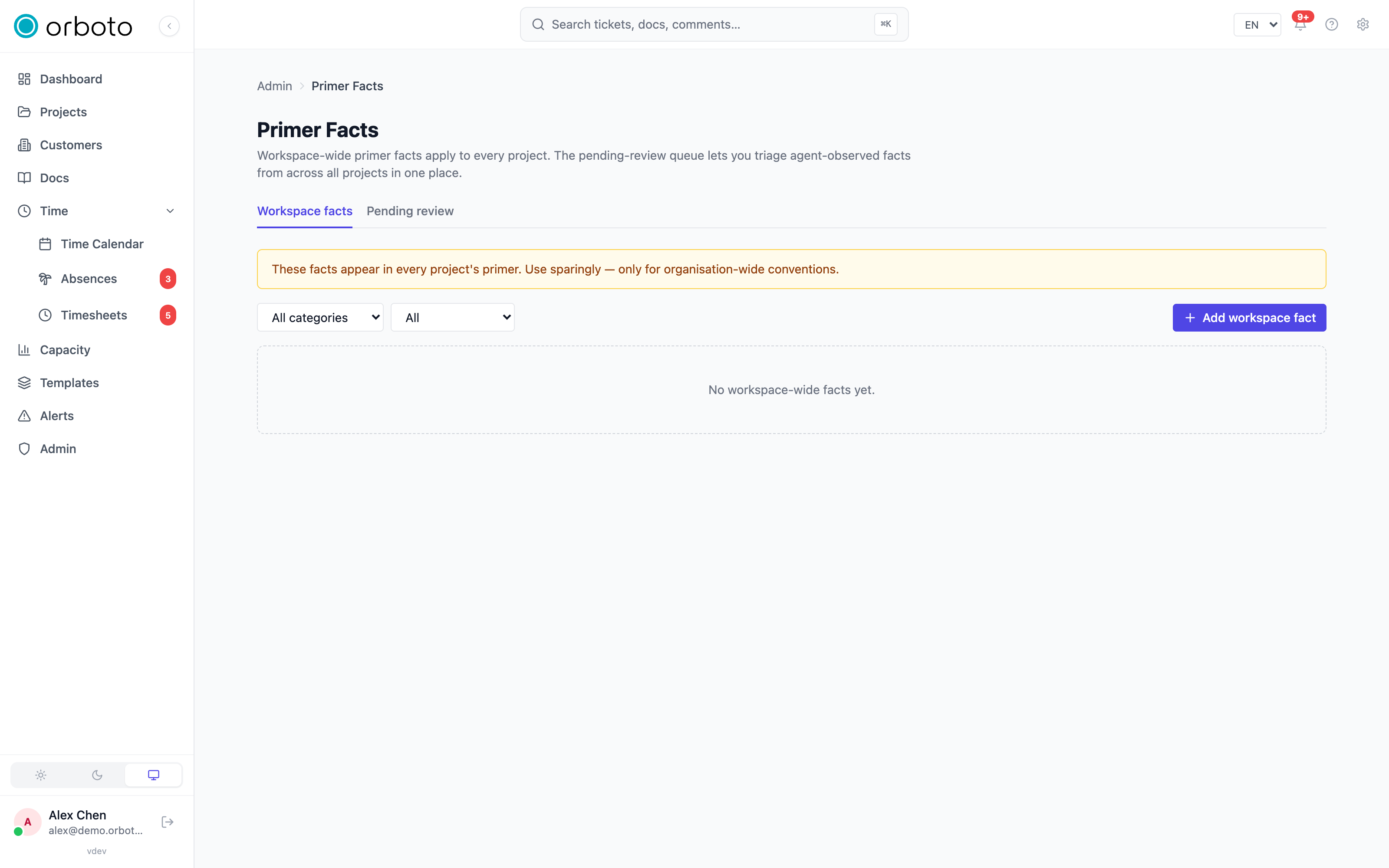
A fact is either project-scoped (visible only in that project's primer) or workspace-scoped (visible in every project's primer, automatically). Workspace facts are for things genuinely true everywhere - a company-wide coding convention, a shared deployment platform - not project specifics. Because a workspace fact adds to every project's primer regardless of relevance, the admin UI shows a standing reminder to use this scope sparingly; a fact that only applies to one project belongs there instead.
Source: manual, imported, or agent-observed
A fact records where it came from:
- Manual - a person typed it in directly.
- Imported - it arrived via a data import from another system.
- Agent-observed - an AI agent, working on the project, noticed something worth recording and proposed it as a fact on its own.
Agent-observed facts start unverified - useful context, but not yet confirmed accurate by a human - and that's exactly what the review queue below exists for.
An agent proposes, a person decides
Added in v0.227.0 A bot account or an agent key only ever proposes. Every fact it creates is filed as agent-observed, whatever source the request names and whatever role the agent holds, and stays marked "observed, not verified" in every project primer until a person decides:
orboto primer-fact add ORB --category tech_stack --key node --value "Node 22, pnpm 10"
orboto primer-fact list ORB --verified false
Everything that changes an existing project or workspace fact belongs to a person: Verify, Reject, Edit, Supersede and Delete. A bot account or an agent key gets 403 on each of them with a reason that names the action (verify_needs_person, reject_needs_person, update_needs_person, supersede_needs_person, delete_needs_person), and the web lists do not show those actions in its session. An agent that finds a fact wrong files a corrected proposal instead. A person decides in Pending review or with orboto primer-fact verify <id> and orboto primer-fact reject <id> --reason "...". An agent's own personal facts are not project knowledge, so it keeps editing and deleting those itself.
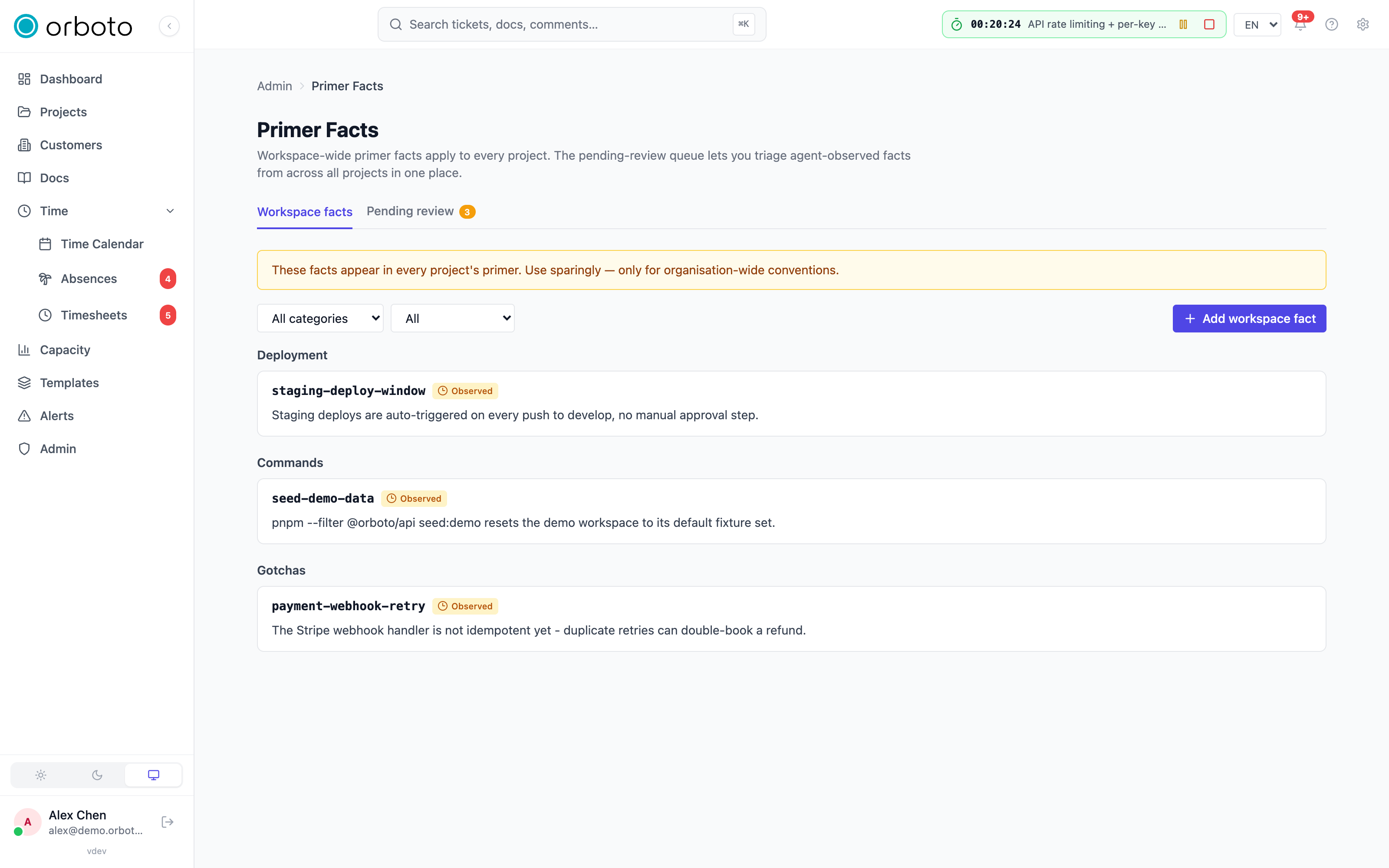
Managing workspace facts (Admin -> Primer facts)
The Workspace facts tab lists every workspace-scoped fact (visible in every project's primer). Filter by category and by verified state.
- Add workspace fact - create one directly, choosing its category, key, and value.
- Edit (pencil icon) - change an existing fact's content.
- Supersede - replace a fact with a new version while keeping the old one's history rather than silently overwriting it; use this when the old value was genuinely correct at the time but has since changed (a version bump, a process change), so there's still a record of what used to be true.
- Verify (shield icon) - mark a fact as human-confirmed accurate.
- Delete - remove it outright, with a confirmation naming the fact's key.
Reviewing agent-observed facts (Pending review)
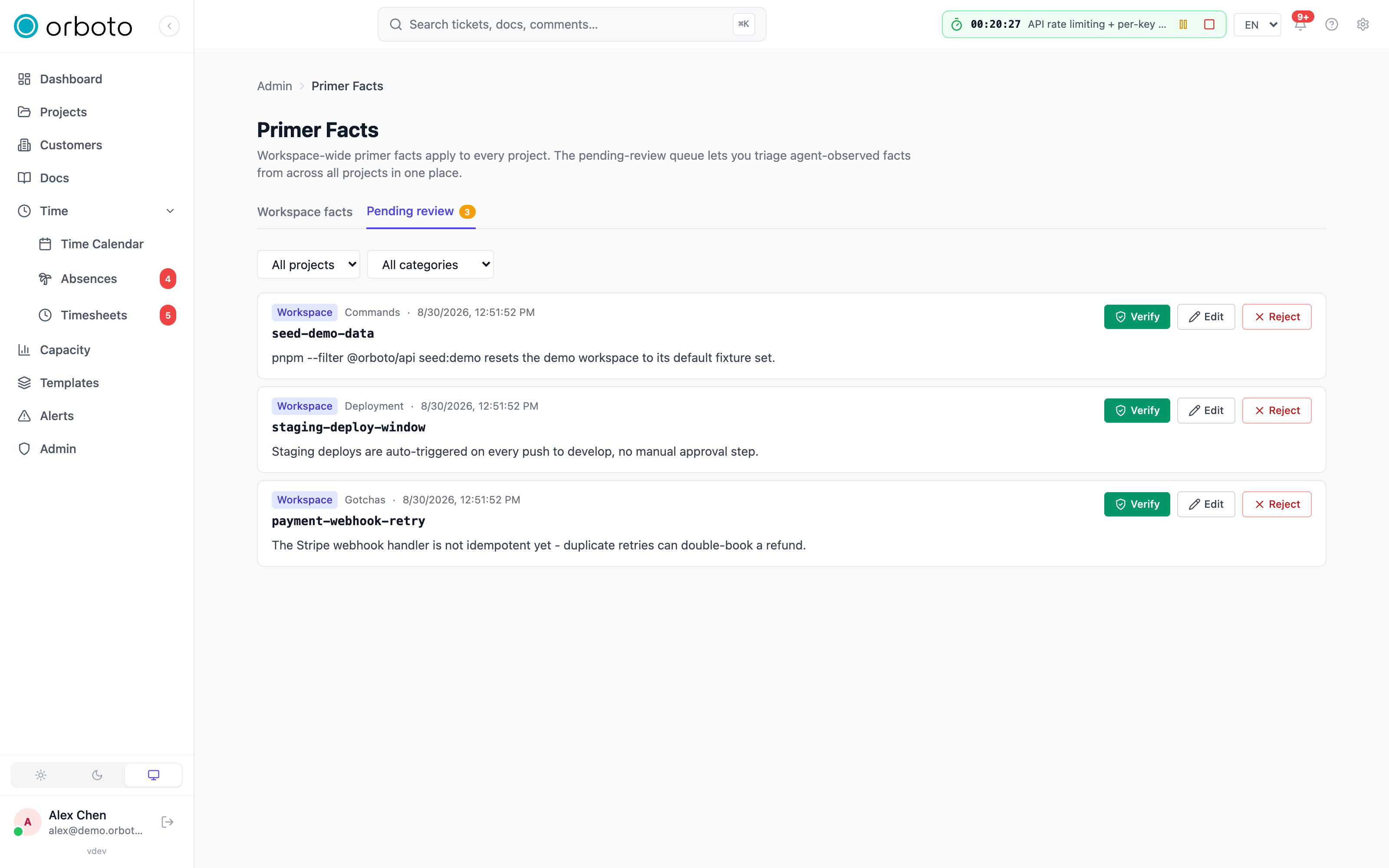
The Pending review tab is a cross-project queue of every agent-observed fact that hasn't yet been verified by a human - regardless of which project (or the workspace scope) it belongs to. A badge on the tab shows the current queue count.
Filter by project (or workspace scope) and category, then work each entry with one of three actions:
- Verify - confirm it's accurate as written; it flips to verified and stops appearing in this queue.
- Edit - correct the wording or value before verifying it, for a fact that's directionally right but needs a fix. Editing doesn't auto-verify it - a deliberate Verify click afterward is still required, so an edit alone can't silently mark something as human-confirmed.
- Reject - remove it, with a required reason captured in the audit log, for a fact that's simply wrong or not worth keeping. This is the one place in the primer-facts UI with an explicit "why" prompt, because a rejected agent observation is worth knowing the reason for later (was the agent wrong, or just capturing something too transient to keep?).
Where facts surface
- The project primer - the structured briefing an AI agent or the MCP/skill surfaces pull when it starts work on a project. Facts render grouped by category, in a fixed display order, with workspace facts merged in alongside that project's own.
- Generated requirements-style reports - the non-functional and glossary categories specifically exist to feed the matching chapters of orboto's generated requirements specification report, so those categories carry weight beyond just agent context.
- Personal facts - a related, separate concept: individual users can also record their own personal facts (visible only to them across the projects they work in), which is a different surface from the workspace/project facts this admin page manages.
The manual notes doc and who can read it
Added in v0.214.2 Besides facts, a project's primer can include one manual notes doc: a doc in one of the project's own spaces that you configure under Project settings -> AI primer. Whether its content lands in a given primer depends on who the primer is rendered for:
- A primer rendered for a person -
orboto primer, the MCP toolorboto_get_project_primer,GET /projects/{id}/ai-primer- always uses that person's access. It includes the notes doc only when that person may read it. - A primer rendered without a viewer - the weekly regeneration into the project's primer doc, and the primer inside a work-start bundle for a project member - includes the notes doc only when every active project member may read it. The check follows the same layers as opening the doc: super-admin, a public doc, the guest opt-in of the space, membership of a restricted space, the
doc:viewpermission for a project-members space, and then the doc's visibility (workspace, members withdoc:edit, or the specific people named on the doc). Deactivated accounts are not counted. One member without access excludes the doc. If a caller who is not a project member (for example an account withadmin:users:read) asks for a work-start bundle, that caller gets the primer rendered for their own access instead.
A doc you narrowed on purpose therefore stays in the weekly primer as long as all members still hold access to it, and drops out the moment one member does not.
Seeing an exclusion
An excluded doc is never dropped silently:
- The primer starts with a line
Configured doc excluded from this primer: <doc key> (<reason>, N member(s) without access). The reason isnot_found(the stored doc is no longer in a space of this project),space_restriction(members cannot see the space) ordoc_visibility(members are not covered by the doc's visibility). The line is not shown to the AI that regenerates the primer and is not kept in AI-generated text, so it disappears on its own once access is fixed. - Project settings -> AI primer, the primer doc and the notes doc show a notice with the same doc key, reason and member count.
GETandPATCH /projects/{id}/ai-primer/configandPOST /projects/{id}/primer/regeneratereturn anexcludedDocsarray. Each entry hassource(manualNotes),docId,docKey(null fornot_found),reasonandmembersWithoutAccess.- Every regeneration that leaves a doc out writes the audit action
project.primer_doc_excludedwith the primer doc id and theexcludedDocslist.
To bring the doc back, widen the doc or space access so every member is covered, or remove the member who lacks it.
When the primer is re-rendered
A change to anything the rule reads queues a regeneration of the affected projects right away instead of waiting for the weekly run:
- a member added, removed or given another role, including invitation accept and customer or SCIM-driven membership sync;
- the permission set of a project role or a customer role;
- the notes doc's visibility, moving it, or deleting it;
- its space's visibility, guest opt-in or member list, or deleting the space;
- a member's account being activated or deactivated, or their guest flag changing.
Queued regenerations are debounced per project: at most two jobs per project per minute, and a change made while one is pending is picked up by the next one, so none is dropped. The Force regenerate now button on the primer doc page (POST /projects/{id}/primer/regenerate) runs immediately and is never throttled.
Private milestones in the primer
Added in v0.230.0 A primer names a private milestone - in the list of open milestone keys, in the active and recently closed milestone sections, and in the recent retros the AI draft of a primer section reads - only for a reader who may see it: a super-admin, or a member with the milestone:view_private permission. Public milestones appear for everyone.
- A primer rendered for a person -
orboto primer, the MCP toolorboto_get_project_primer,GET /projects/{id}/ai-primer, the AI drafting of a primer section, and the primer in the start bundle of a work session - names private milestones according to that person's access. Two members can read different primers of the same project. The notes doc follows the rules above, not this one. - A primer rendered without a reader - every regeneration into the project's primer doc, the weekly one, the ones queued by an access change and Force regenerate now - names public milestones only, whoever opens the doc later.
- Stored primers refresh once after the upgrade. After each start of the instance, one job re-renders every project's stored primer, at most once an hour however often the instance restarts. A primer doc that an earlier version wrote with private milestone names is rewritten by that job, without waiting for the weekly run.
Why verification matters
An agent proposing "the deploy command is X" and being wrong costs
real time the next time an agent (or a person) trusts it. Verification
is the deliberate human checkpoint between "an agent noticed this" and
"this is now treated as reliable project knowledge" every future agent
session will be handed as fact. Leaving agent-observed facts unverified
indefinitely isn't dangerous by itself - unverified facts still surface
in the primer - but reviewing the queue regularly is what keeps
project knowledge trustworthy rather than merely plausible.
Troubleshooting
- A fact I added to one project shows up in every project's primer
- it was created at workspace scope instead of project scope; edit it (or delete and re-add it under the specific project) to narrow it.
- An agent keeps re-proposing the same fact after I rejected it - rejection removes that specific fact record, but doesn't prevent an agent from observing the same thing again in a later session; if it keeps recurring and is actually correct, verifying it once (or adding it manually) stops the cycle since it will no longer look "new" to the agent.
- The pending-review badge count doesn't match what I see after filtering - the badge counts the full cross-project queue; your current project/category filter narrows what's displayed without changing the underlying count until you act on entries.
- A category I need isn't in the list - the category set above is fixed; use Other for anything that doesn't fit, or note the gap for your workspace's own conventions rather than trying to force a fit into an unrelated category.
- An agent gets 403 with
delete_needs_person(orupdate_,supersede_,verify_,reject_needs_person) - working as intended: agents propose and people decide. Have the agent file a corrected fact withorboto primer-fact add, then verify or reject in Pending review. - A private milestone is missing from my primer - working as intended when you lack
milestone:view_private: the primer names only the milestones you may see. The weekly primer doc names public milestones only, for everyone. - The notes doc is missing from the weekly primer - look for the
Configured doc excluded from this primerline or the notice under Project settings -> AI primer; it names the reason and how many members lack access. Fix the access, then wait for the automatic re-render or press Force regenerate now on the primer doc.