

Bulk user management
Export and import your user roster, and bulk-map GitHub usernames by email.
For onboarding many accounts at once, moving between environments, or periodic backups of the roster itself, Admin → Users offers three bulk tools alongside the per-user create/edit flow described in Users, roles and permissions.
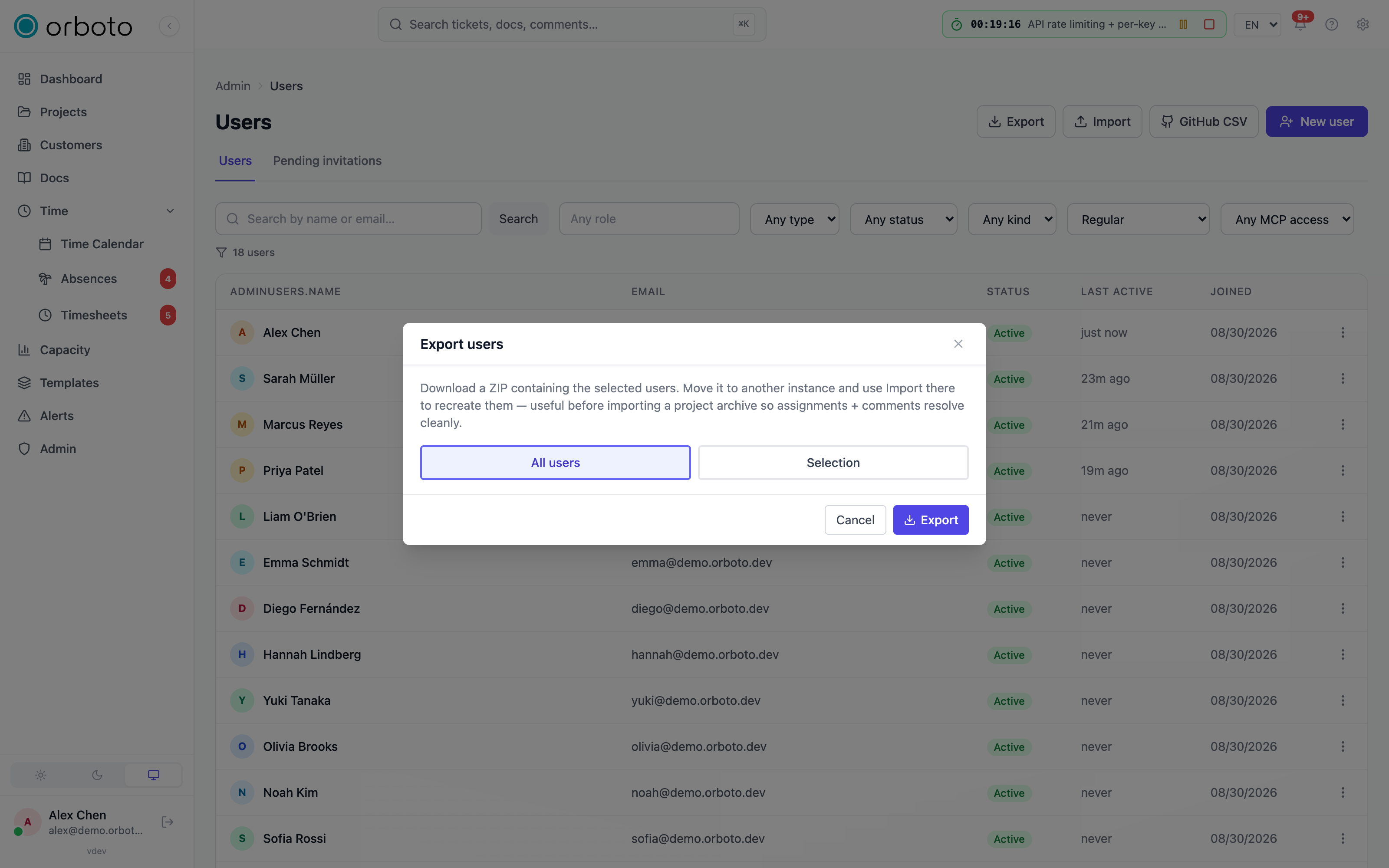
Export
Export downloads a ZIP archive of user accounts.
- All users (default) - the whole roster.
- Selection - search and check individual accounts (bot and guest accounts are labelled in the picker).
Import
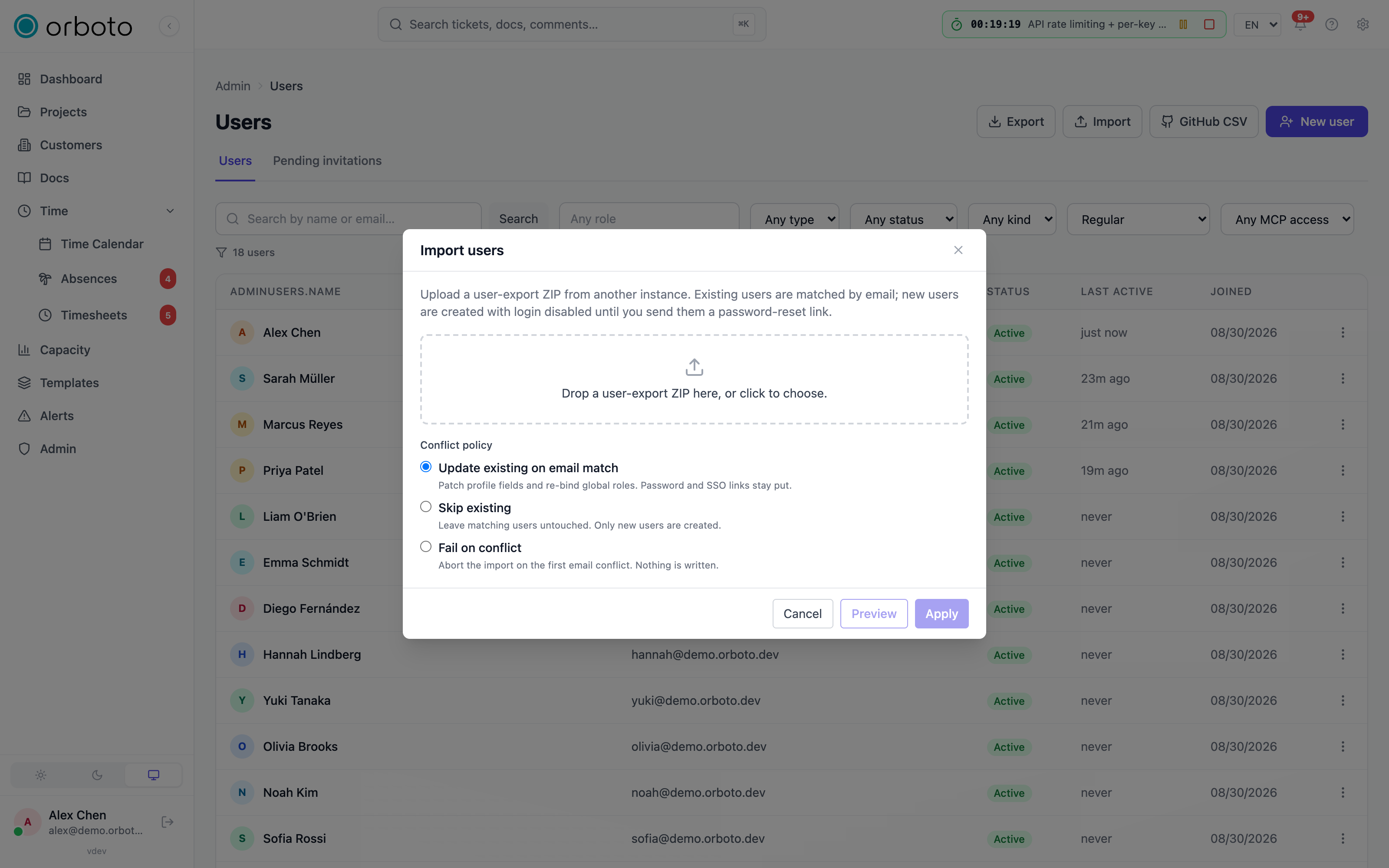
Import accepts a ZIP in the same shape the export produces - useful for restoring a roster or moving accounts between orboto instances.
- Drop or browse to the file.
- Pick a conflict policy for rows that match an existing email:
- Update - overwrite the existing account's fields.
- Skip - leave existing accounts untouched, only create new ones.
- Fail - abort the whole import if any row conflicts.
- Preview runs a dry run and reports how many rows would be created, updated or skipped, plus any conflicts or warnings.
- Apply runs it for real. Changing the conflict policy after a preview invalidates it - re-run Preview before applying.
Added in v0.230.0 You can only import what you could grant yourself. The
import is refused with 403 when a row would grant a global role whose
permissions you do not hold, or - with the Update policy - would overwrite
an account whose global roles you do not hold. Preview runs the same check, so
you see the refusal before you apply. The refusal is written to the audit log
as security.authority_refused; see
Who may grant what.
Bulk-map GitHub usernames
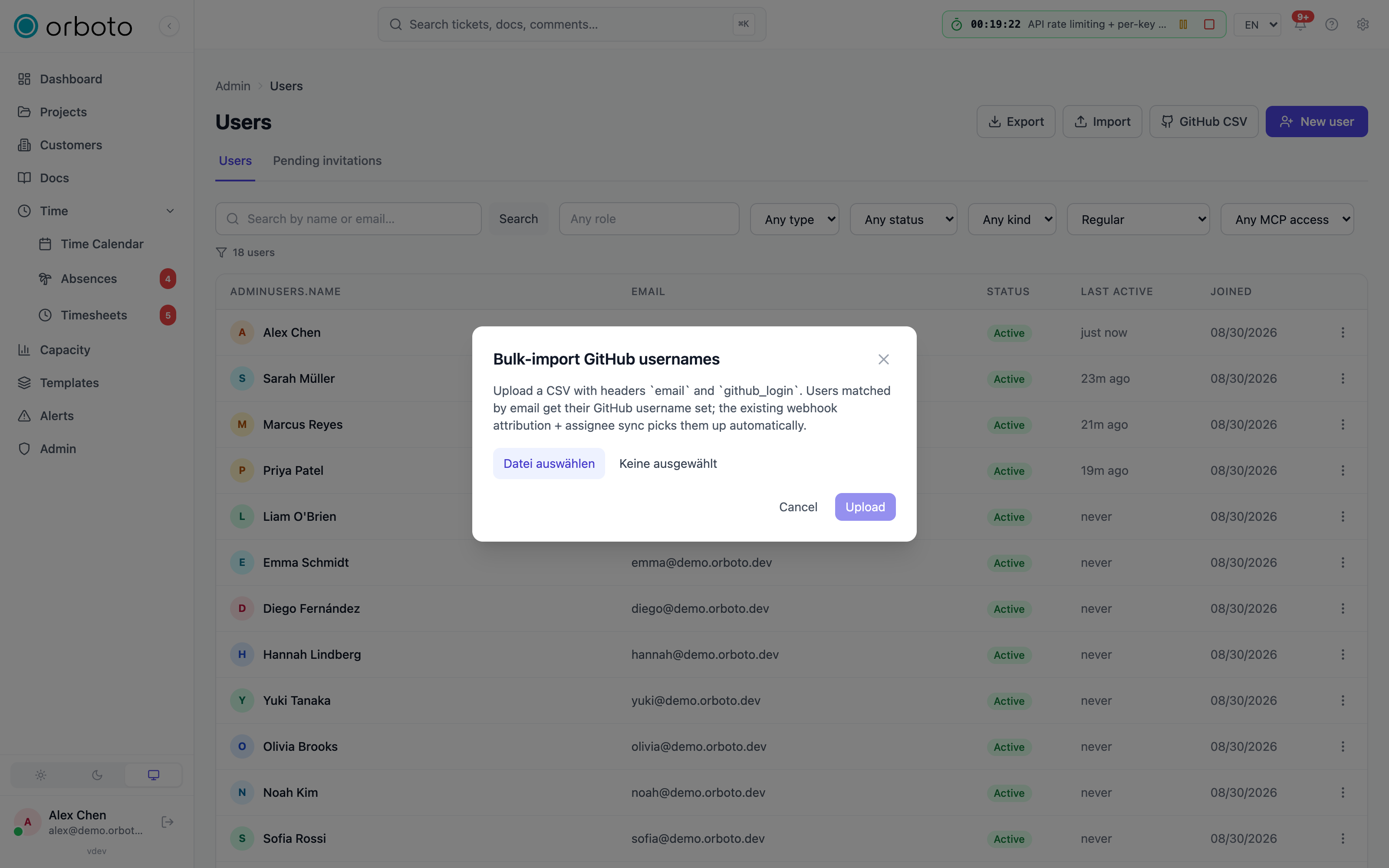
GitHub CSV bulk-sets the GitHub username used for commit/PR
attribution and assignee sync, without editing each user individually.
Upload a CSV with email and github_login columns; rows are matched by
email. The result reports how many were updated, which emails weren't
found, and which rows were invalid (bad GitHub username format, or a
login already mapped to another user).
Troubleshooting
Import preview looks right, but Apply is disabled. You changed the conflict policy after previewing - the plan is now stale. Run Preview again with the current policy, then Apply.
GitHub CSV reports "not found" for emails you know exist. The match is exact and case-sensitive on the stored email address. Export your users first to confirm the exact casing on file.
Import created duplicate accounts instead of updating. Check the conflict policy was actually Update - Skip intentionally leaves existing accounts untouched, and Fail aborts the whole run rather than skip past a conflict.