

Single sign-on (OIDC and SAML)
Connect an OIDC or SAML 2.0 identity provider, enforce it per domain, and recover when it breaks.
orboto supports SSO via OIDC and SAML 2.0, configured entirely from Admin → SSO - no config-file edits, no REST calls needed.
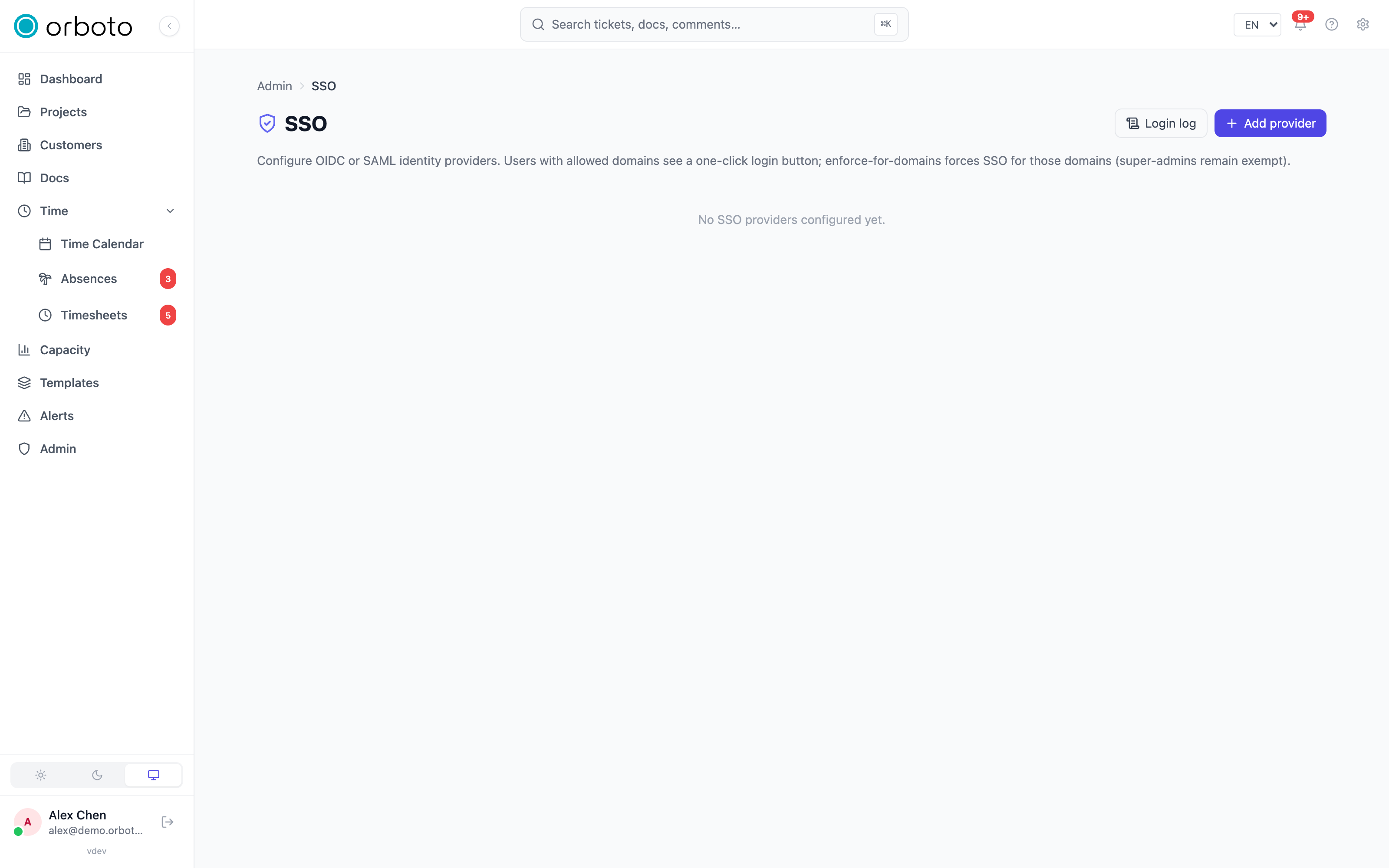
Add a provider
Admin → SSO → Add provider opens a form gated by protocol:
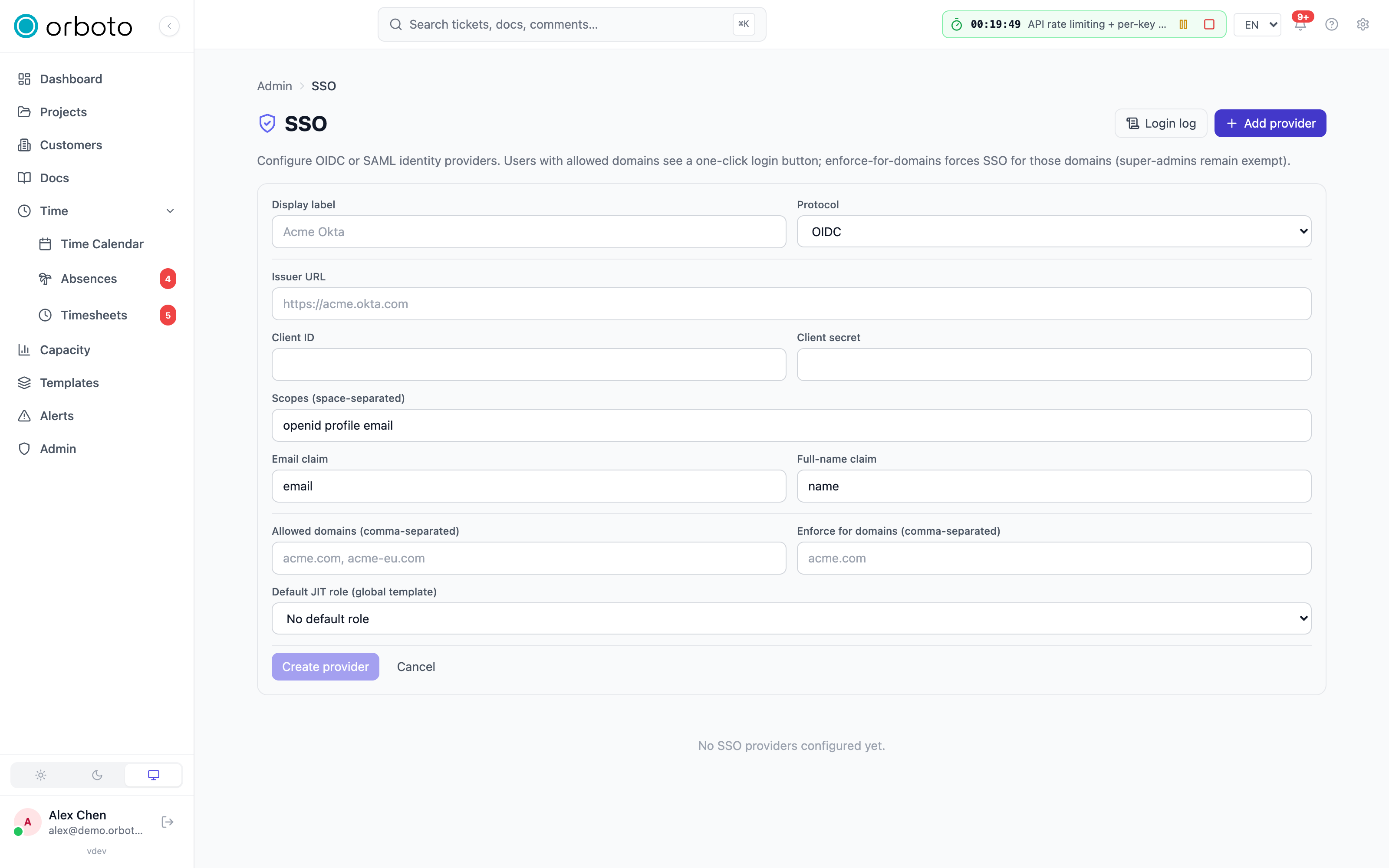
- OIDC needs the issuer URL, client ID and client secret
from the IdP's app registration, the scopes to request (default
openid profile email), and which claims map to orboto'semailandfullNamefields. - SAML 2.0 needs the IdP's entity ID, SSO URL and optional
SLO URL, the IdP's signing certificate (PEM), an SP private
key (PEM) to sign outbound requests and the metadata document, the
NameID format, and which assertion attributes map to
emailandfullName. - Both protocols also take a label (shown on the login button), allowed domains, enforce for domains, and a default JIT role assigned on a user's first SSO login.
Added in v0.212.5 Saving changes to an existing provider asks for a recent MFA step-up, like the other sensitive admin actions.
Once created, expand the provider row to copy the ACS / redirect URI (OIDC callback or SAML ACS URL) and, for SAML, the SP metadata URL - paste these into the IdP's trust configuration. The expanded row also lets you edit the label, domain lists and default role in place.
Secrets are write-only after save. To rotate a client secret, IdP certificate or SP private key, delete the provider and re-create it with the new value - there's no in-place secret rotation yet.
Secrets at rest
Per-provider credentials - OIDC client secrets, SAML IDP certificates,
SAML SP private keys - are sealed with AES-256-GCM before they touch the
database. The key is derived from SSO_ENC_SECRET.
- Coolify one-click install:
docker-compose.ymlbindsSSO_ENC_SECRETto the Coolify magic variableSERVICE_PASSWORD_64_SSO, auto-generated on first deploy - you don't set it yourself. - Manual deploys: set
SSO_ENC_SECRETto a random 64-character string and treat it likeJWT_SECRET. Losing it means every stored provider config becomes unreadable and every SSO-bound user falls back to password login (which may be disabled for their domain). - Rotating it is destructive - every stored config becomes undecryptable, and affected providers show a red "configuration can't be decrypted" banner. Rotation procedure: announce a maintenance window, delete every affected provider in the admin UI, rotate the secret, restart the API, re-create each provider. Super-admin password login keeps working throughout (see below).
Enforcement model
Each provider has two domain lists:
- Allowed domains - which email domains may use this provider. Empty = unrestricted.
- Enforce for domains - which domains MUST use this provider. Users on these domains can't log in with a password at all.
enforce_for_domains is the lock-in feature for Business/Enterprise - it
prevents "vanity accounts" where someone sets up a personal password on
their company email. Without it, password login stays available
alongside SSO as a fallback.
Super-admin bypass
Users with the global super-admin role are always exempt from
enforce_for_domains - password login keeps working for them regardless
of domain restrictions. This mirrors GitLab, GitHub Enterprise and Sentry:
a local-credential path for the platform-root admin so a misconfigured
IdP can't lock the whole system out.
Every super-admin is a "break-glass" account for SSO enforcement - audit who holds the role regularly, and don't issue it to operational staff just because it's convenient.
Linking existing accounts
Added in v0.212.5 Before the rules below, an OIDC provider's
email_verified policy decides whether the identity provider's
email_verified claim allows linking by email at all. Set it in the
provider's Editable settings (or on the create form), or with
PATCH /admin/sso/providers/:id and { "emailVerifiedPolicy": "..." },
which does not need the client secret again:
| Policy | Behaviour |
|---|---|
refuse_on_false (default, also for providers created before the setting) | Link unless the claim is explicitly false. An absent claim links. |
require_true | Link only when the claim is true. The strings "true" and "false" count as booleans. Use it for identity providers that always send the claim. |
ignore | The claim is never read. Use it only for identity providers that never send it and whose addresses you control. |
orboto reads the claim from the ID token only. An identity provider that
sends email_verified only from its userinfo endpoint counts as not
sending it, so require_true refuses every link by email for that provider.
A refused link returns the user to the login page with the message that the
identity provider has not confirmed the address, the login log records
email_unverified, and the audit log records sso.link_refused with the
reason idp_email_unverified. The policy applies only when a login would
link to an existing account by email: an identity that is already linked and
a newly provisioned account are not affected. SAML providers have no
email_verified claim and no setting.
Added in v0.211.3 The first SSO login of an identity whose email matches an existing local account links that account, but only when the account has proved it owns the mailbox. Accounts that are already linked or provisioned through SCIM, super-admins, accounts created by an admin, accounts created by accepting an invitation from an admin, and accounts that completed a mailed password reset count as verified. They are linked and keep their sessions, API keys, second factors and password.
Added in v0.230.0 An account counts as provisioned through SCIM only when
SCIM manages it: SCIM created it, an admin allowed SCIM to adopt it, or an
admin handed it over on Admin → Users. An account that merely carries a
SCIM externalId does not count. See
SCIM provisioning.
An account that never verified its email (typically a self-registered one) is handled by the domain setting:
- Domain enforced: the account is linked and everything it held is removed in the same step: sessions end, API keys are deleted (Added in v0.230.0 and the live connections opened with them close), OAuth grants are revoked (shown as "Removed when linking SSO" on the OAuth clients page), second factors and backup codes are removed, and the password is replaced by a random value.
- Domain not enforced: the login is refused and the login page says the account has not confirmed its mailbox yet: reset your password through the emailed link, then sign in with SSO again. The login log records the refusal. The reset verifies the account, so the next SSO login links it. An admin can also add the domain to Enforce for domains.
An API key on an enforced domain follows the password rule: it is refused unless its account is already linked to an SSO provider or is a super-admin.
The login completes in the browser that started it
Added in v0.212.5 Starting an SSO login sets an httpOnly cookie in the
browser, valid for ten minutes, and the callback signs the user in only when
that browser presents it. A callback without it is refused with the
"invalid or expired state" answer, no session is created and the login log
records invalid_state. OIDC always applies the binding. SAML applies it
when the public API URL is https (or a loopback host such as localhost),
because the identity provider posts the response from another site and the
cookie then needs the Secure attribute.
Added in v0.230.0 SAML needs https. A SAML sign-in only completes in
the browser that started it, and that check needs a secure cookie, which
browsers keep only on https (or on localhost during development). On a
workspace whose API is reached over plain http on any other host, SAML
sign-in is refused (at the start and at the callback) with "SAML sign-in
needs the API served over https on this host", the login log records
https_required, and saving or activating a SAML provider there writes one
warning to the server log. Serve the API over https. OIDC providers are not
affected. Before 0.230.0 such a SAML callback skipped the check
(binding_skipped); it now fails closed.
Login log
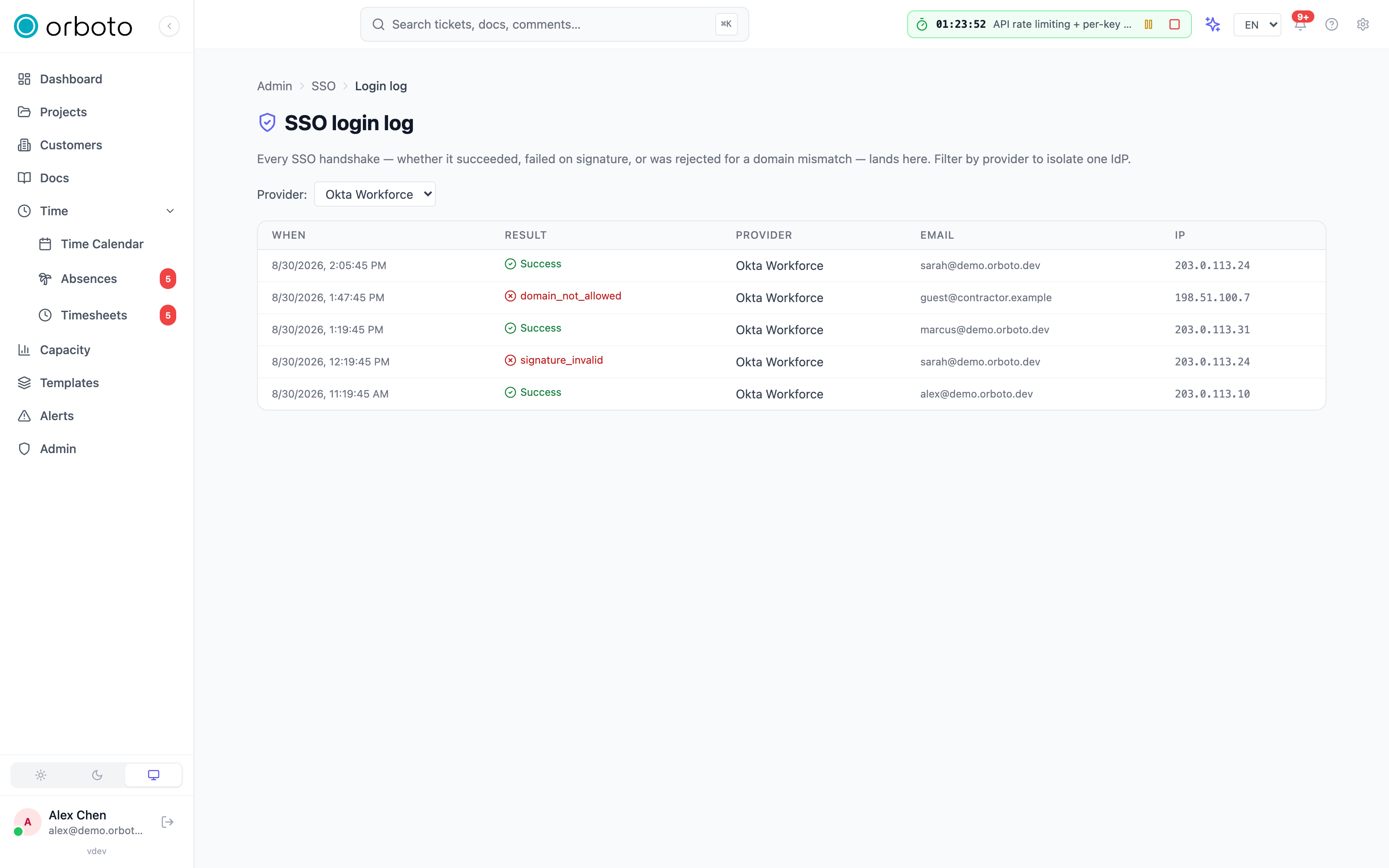
Admin → SSO → Login log records every handshake - success, signature failure, or domain-mismatch rejection - filterable by provider. Check this first when a provider "isn't working": a spike of one error code usually points straight at the cause (see Troubleshooting below).
Troubleshooting
A single super-admin forgot their password
They use the normal forgot-password flow on the login page. Super-admins are domain-enforcement-exempt by design, so the reset email goes out even if every non-super-admin is SSO-enforced.
The super-admin's IdP went down mid-login
Their password login still works (see the bypass rule above). Sign in with email + password, check the provider's status in Admin → SSO, and toggle it inactive if you need to keep non-super-admins out until the IdP is back.
The super-admin also forgot their password (no self-service path)
Run the CLI recovery tool on the host (SSH to the API container or host machine):
pnpm --filter @orboto/api admin:reset-password <email>This mints a single-use, 30-minute-TTL password-reset token and prints the reset URL to stdout. Forward it to the super-admin out-of-band (phone, Signal) - do not email it, since the point of this path is that the email system might itself be broken. The tool refuses to run for non-super-admin accounts and requires host access; there's no remote invocation path.
The only super-admin lost their password and can't reach the host
Recoverable only with direct database access:
UPDATE users
  SET password_hash = '$2a$12$<bcrypt-hash-of-temporary-password>'
  WHERE email = 'admin@example.com';
Generate the bcrypt hash separately (for example
node -e "require('bcryptjs').hash('temp-pw', 12).then(console.log)").
After login, change the password immediately via Profile → Password. This
is the last resort - reality doesn't guarantee anyone has both host access
and a remembered password at the moment of panic.
A cert rotation or clock skew broke logins for one provider
Filter the login log to that provider. invalid_signature points at a
rotated IdP certificate (re-import it); invalid_state usually means
clock skew or an abuse attempt; domain_mismatch means the login email's
domain isn't on that provider's allowed-domains list.
Deleting a provider
Deleting a provider unbinds every user tied to it (their row stays, just without an SSO identity) and immediately fails any in-flight login for that provider. JIT-provisioned users have a random password hash, so they can't fall back to password login until you send them a reset link - communicate that before deleting a provider that JIT-created accounts.
Licensing
No license gate ships on SSO today - every install can use it out of the box.