

Session, password and network policies
Session lifetimes, password rules, and an IP allowlist for admin routes and writes - all under Admin -> Security.
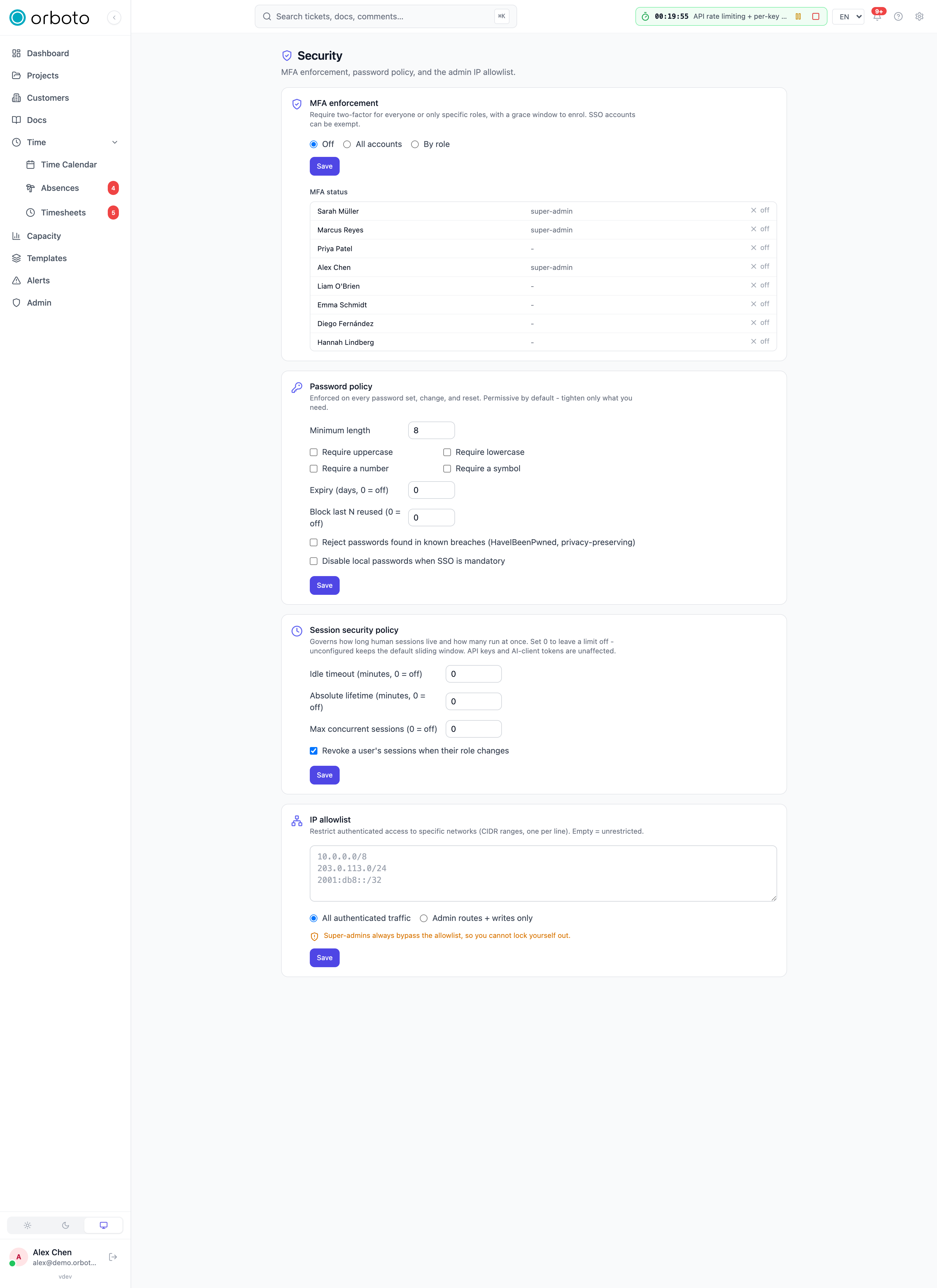
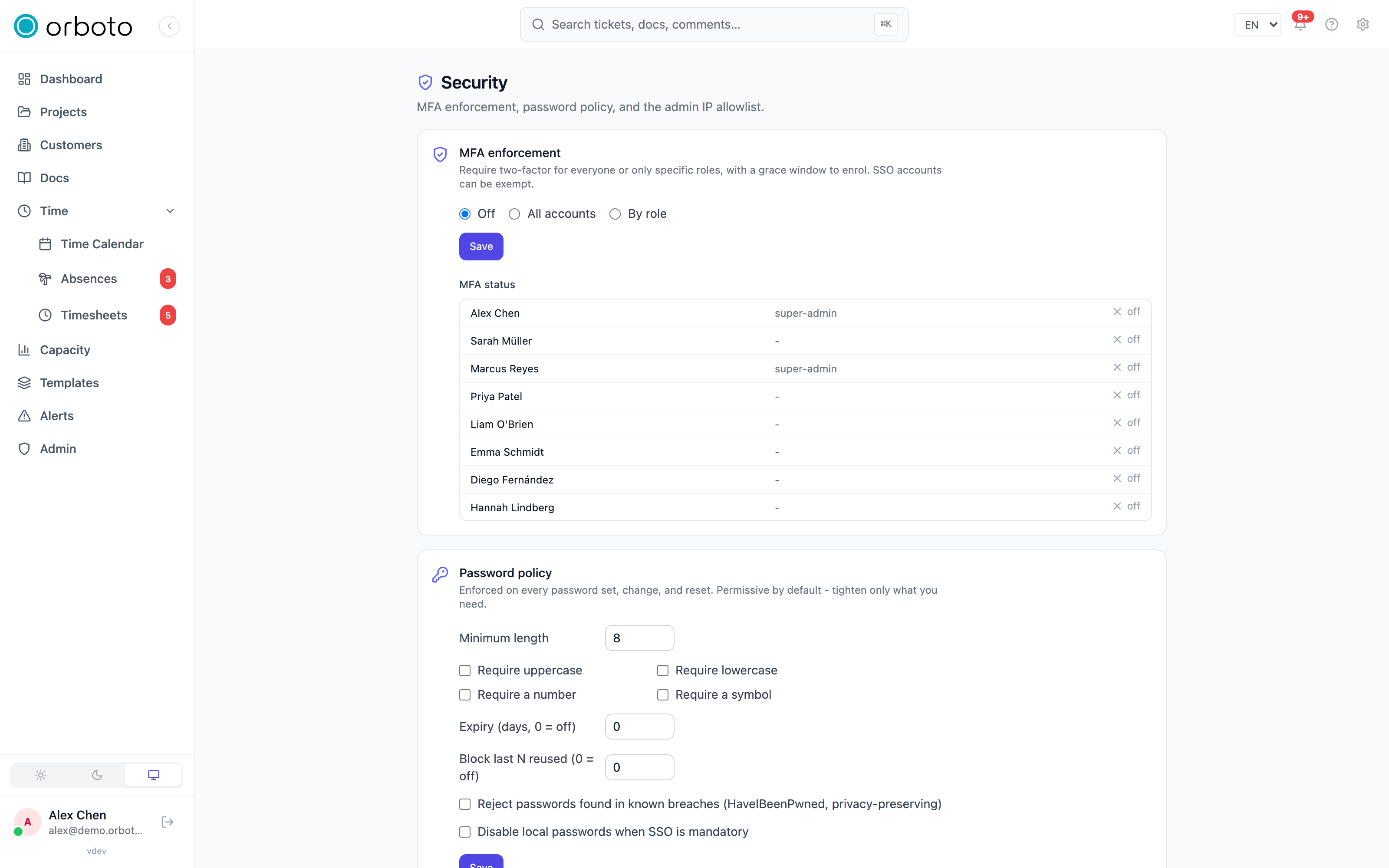
Admin -> Security collects the access-hardening settings that apply across the whole workspace: how long a signed-in session is allowed to last, what a password must look like, and which networks are allowed to reach the workspace at all. Two-factor authentication also lives on this page, but it's big enough to get its own guide
- this page covers the other three cards.
Each card is independent and self-gating: you only see the cards your
own permissions let you read, and the inputs are disabled (not hidden)
if you can read but not write. Reading needs the matching :read
permission (admin:session-policy:read, admin:password-policy:read
via admin:system:read); writing needs the :write counterpart.
Session security policy
A session is the signed-in state a browser holds after you log in - normally it just keeps working for a fixed period (7 days by default) as long as you keep using it. This card lets you tighten that default with four independent knobs. All four start off (0, or unset) - an unconfigured workspace behaves exactly as it always has.
- Idle timeout (minutes, 0 = off) - sign a session out automatically after this many minutes of no activity. Every request pushes the timeout window forward, so an active user never sees it; someone who walks away from an unlocked laptop does.
- Absolute lifetime (minutes, 0 = off) - a hard cap on how long a session can live, counted from the moment it was created, regardless of activity. Even a continuously-used session is forced to re-log-in once this elapses. Use this where policy requires periodic re-authentication no matter what.
- Max concurrent sessions (0 = off) - the most sessions one user can have live at the same time (think: logged in on a laptop, a phone, and a second browser profile). Sign in past the limit and the oldest session is evicted automatically - not the newest, so the person who just signed in stays signed in and the one they forgot about elsewhere gets kicked.
- Revoke a user's sessions when their role changes - on by default. When someone's project role or global role changes, every one of their live sessions is immediately terminated so the new (tighter or looser) permission set only takes effect after they log back in. Without this, a user whose access was just revoked could keep acting on their old permission set for as long as their existing session token remains valid.
These knobs only ever govern human browser sessions. API keys and AI client (MCP / OAuth) tokens authenticate differently and are never affected by any setting on this card - an automation you've set up doesn't get silently logged out because you set a 30-minute idle timeout for people.
Password policy
Rules enforced every time a local (password-based) account sets, changes, or resets its password. Every rule starts at its most permissive value, so turning this card on is opt-in, not a surprise change to existing accounts on upgrade.
- Minimum length - shortest password accepted (default 8).
- Require uppercase / lowercase / a number / a symbol - four independent character-class checkboxes; turn on only the ones you need. A password failing any checked rule is rejected with a specific reason, not a generic "invalid password" message.
- Expiry (days, 0 = off) - force a password change after this many
days.
0means passwords never expire on their own. - Block last N reused (0 = off) - reject a new password that matches
any of the account's last N passwords.
0means no reuse check at all; orboto only stores the number of historical hashes your current setting actually needs to check, so raising this later re-establishes history going forward rather than retroactively. - Reject passwords found in known breaches (HaveIBeenPwned, privacy-preserving) - checks the candidate password against the HaveIBeenPwned breach corpus using k-anonymity: only the first 5 characters of the password's SHA-1 hash ever leave the server, so the real password (and even its full hash) is never transmitted. If the breach-check service is unreachable, the check fails open (the password is allowed) rather than blocking sign-ups during a third-party outage.
- Disable local passwords when SSO is mandatory - once your workspace enforces SSO for a domain, this additionally blocks setting or keeping a local password for accounts on that domain, closing the "local password as a side door around SSO" gap.
IP allowlist
Restrict which networks can reach the workspace at all, by CIDR range
(e.g. 10.0.0.0/8 for a whole private range, or 203.0.113.4/32 for a
single address). Paste one CIDR per line into the text box - both IPv4
and IPv6 ranges are accepted.
Two scope modes:
- All authenticated traffic - every request from a signed-in user (or API key) must originate from an allowed network.
- Admin routes + writes only - only
/admin/*routes and mutating requests (POST/PUT/PATCH/DELETE) are restricted; plain reads from outside the allowlist still work. Use this to protect changing workspace state and admin surfaces without locking regular users out of read access from anywhere.
Added in v0.211.3 The allowlist is checked for every kind of credential: web sessions, session tokens, API keys, OAuth tokens (MCP connectors and REST clients) and the one-time tickets that open the live WebSocket connections. The scope setting applies the same way to all of them.
An empty list means unrestricted - this feature is off by default, and stays off until you add at least one CIDR.
The break-glass guarantee
Super-admin accounts always bypass the allowlist, on every scope. This exists specifically so a misconfigured or overly-narrow CIDR can never lock every admin out of their own workspace - fix the range from outside the allowlist as a super-admin, then re-save it. Non-super-admin accounts get no such exception: get the range wrong for a project admin and they really are locked out until a super-admin corrects it.
Edition note
All three cards work on every orboto edition. On Community they raise the standard soft-warn banner on the License page once a rule is actually enforcing something (a non-default password rule, a non-zero session TTL knob, or a non-empty IP allowlist) - nothing is blocked.
Troubleshooting
- I can't reach
/adminanymore after saving an IP allowlist - if you're a super-admin, the break-glass bypass means this shouldn't happen; if you're not, ask a super-admin to correct or clear the allowlist from a network the range does cover (or from their break-glass access). - A password that looks fine is rejected - check each rule individually; the error names the first rule the password fails (length, a missing character class, reuse, or a breach-corpus hit), not just "invalid".
- The breach check seems to be doing nothing - it fails open by design when the HaveIBeenPwned API is unreachable, so a network outage on your server never blocks legitimate password changes; it isn't a bypass a user can trigger deliberately.
- A user got signed out unexpectedly workspace-wide - check whether their role changed recently (the revoke-on-role-change toggle is on by default) before assuming a bug; also check the idle timeout and absolute lifetime settings if it happened mid-session.
- Signing in on a new device unexpectedly signs out an old one - that's the max-concurrent-sessions cap evicting the oldest session, working as intended, not an error.
Secrets and credentials
Why a secret never belongs in a doc, ticket or comment: the write guard that refuses credential-shaped values, the sweep for existing content, and the encrypted credential vault with grants, reveal audit and [[secret:KEY]] references.
Data retention and legal holds
Concepts and the operator workflow for automatic data cleanup and litigation holds - full field reference lives on the Compliance page.