

Error log
Triage frontend and backend errors as grouped issues: resolve, ignore, reopen, look up a specific event, and watch a live feed.
Admin -> Errors is where crashes and exceptions from both the orboto backend (API errors, 5xx responses, unhandled exceptions) and the web frontend (JavaScript errors in the browser) land, grouped into manageable issues instead of an endless list of raw events.
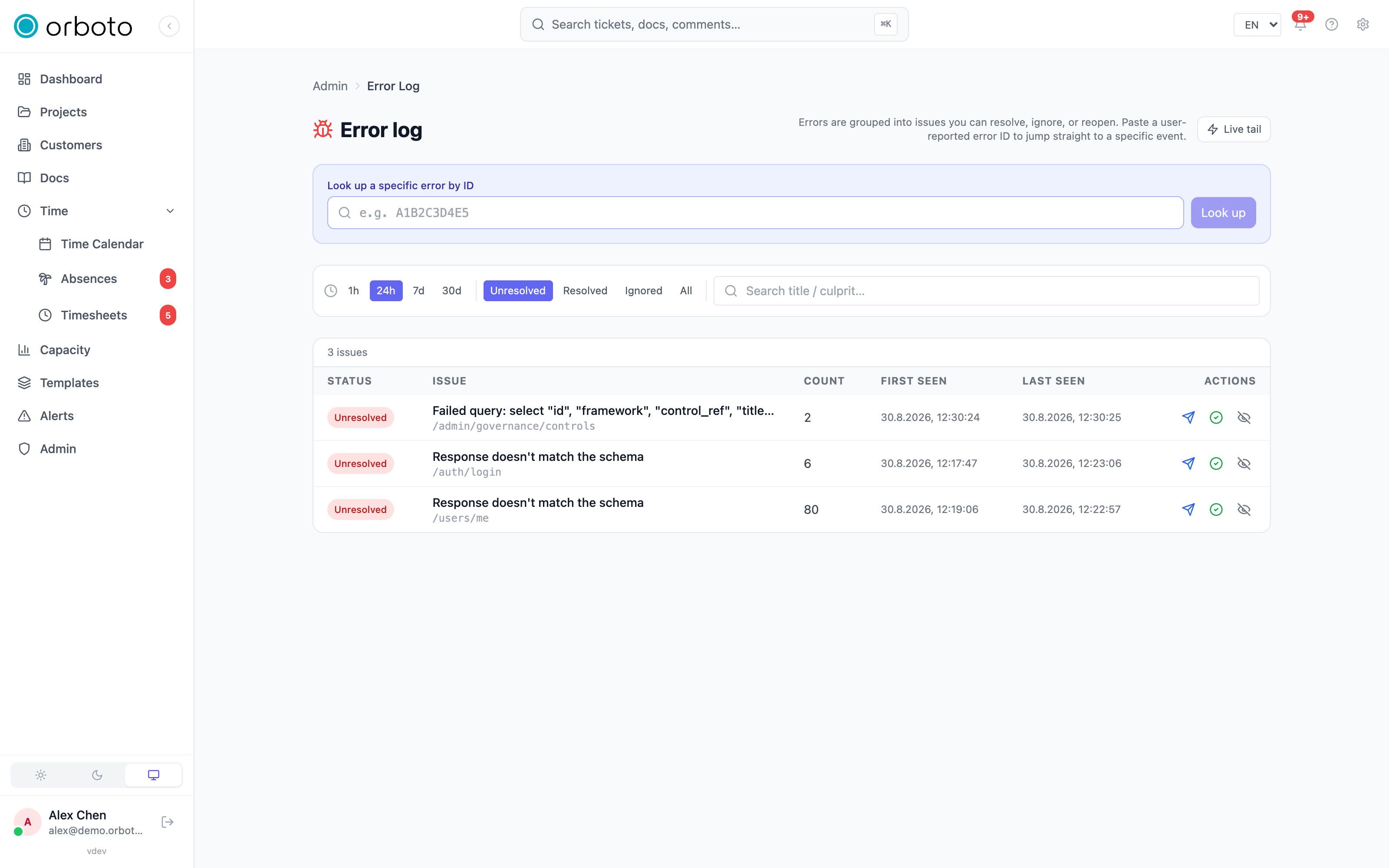
Issues, not a raw event list
Two people hitting the same underlying bug shouldn't create two things for you to look at - they should create one issue with a count of two. orboto groups every error event by its fingerprint (roughly: the same error type at the same code location) into an issue, and the issue is what you triage, not the individual events. Each issue tracks how many times it's happened, when it was first and last seen, and a workflow status.
Working the issue list
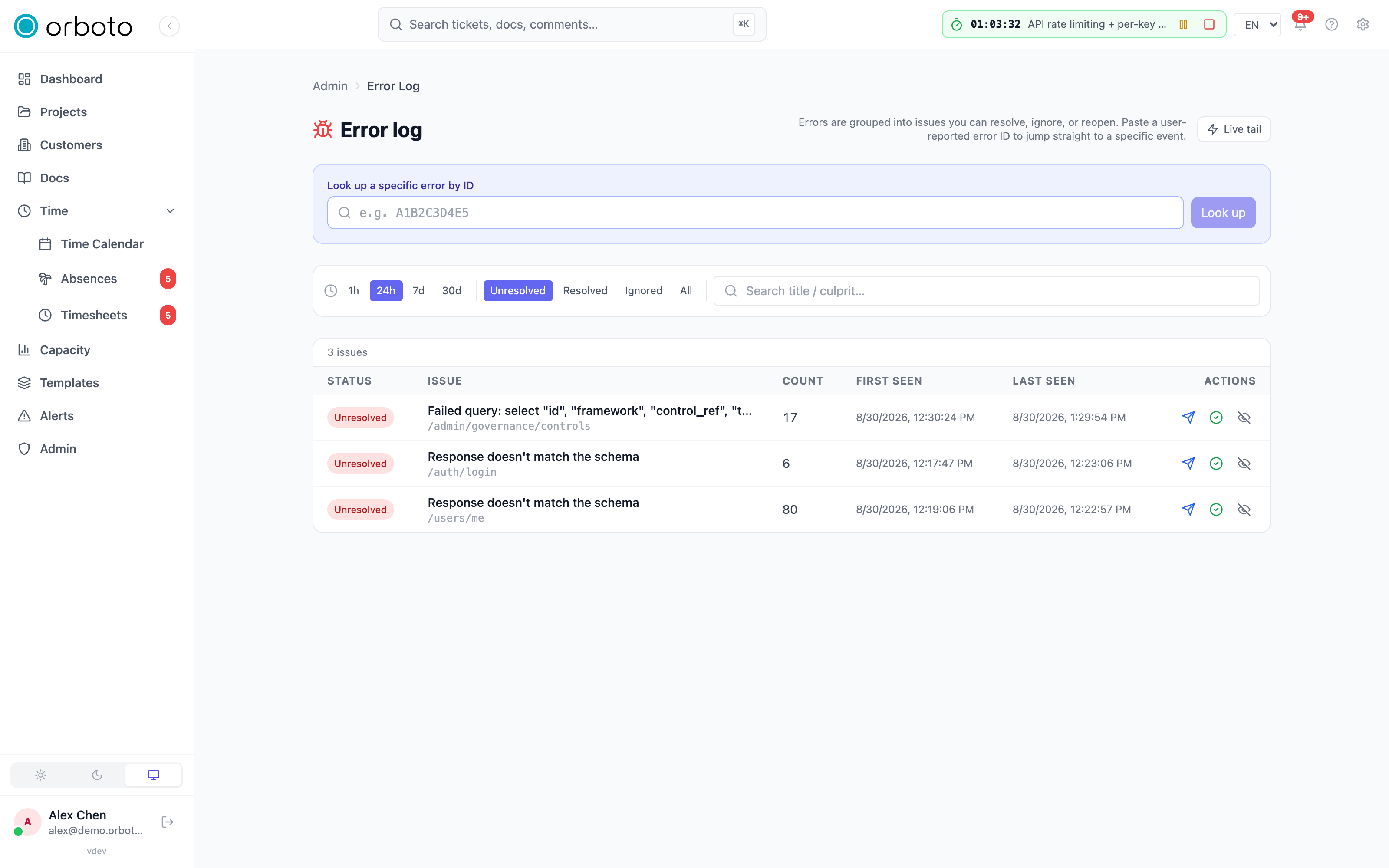
The filter bar narrows what you're looking at:
- Time window - 1h / 24h / 7d / 30d.
- Status - unresolved (default) / resolved / ignored / all.
- Free-text search - matches an issue's title or culprit (the function or route where it originated).
Each row shows the issue's status badge, its title and culprit, how many times it's occurred, and first/last-seen timestamps. Click a row to open its drill-in: the same header info plus the individual events that make up that issue, cursor-paginated so you can page through a high-volume issue's full history.
Per-issue actions
Available on both the list rows and the drill-in header (requires the write permission - see below):
- Resolve - mark it fixed. New occurrences of the same fingerprint automatically reopen it, so a resolve doesn't have to be permanent if the underlying bug wasn't actually gone.
- Ignore - mark it as something you've deliberately decided not to act on (known noise, a third-party issue outside your control) without pretending it's "resolved." Ignored issues stay out of your default unresolved view but remain fully visible under the ignored filter.
- Reopen - move a resolved or ignored issue back to unresolved.
- Escalate to developers - send this issue's details to orboto's own developers via the product's telemetry channel, for cases where you believe you've hit a genuine product bug rather than something specific to your workspace's configuration or data. This is separate from any internal on-call or incident-response process you run - see On-call and escalations for routing an incident to your own team instead.
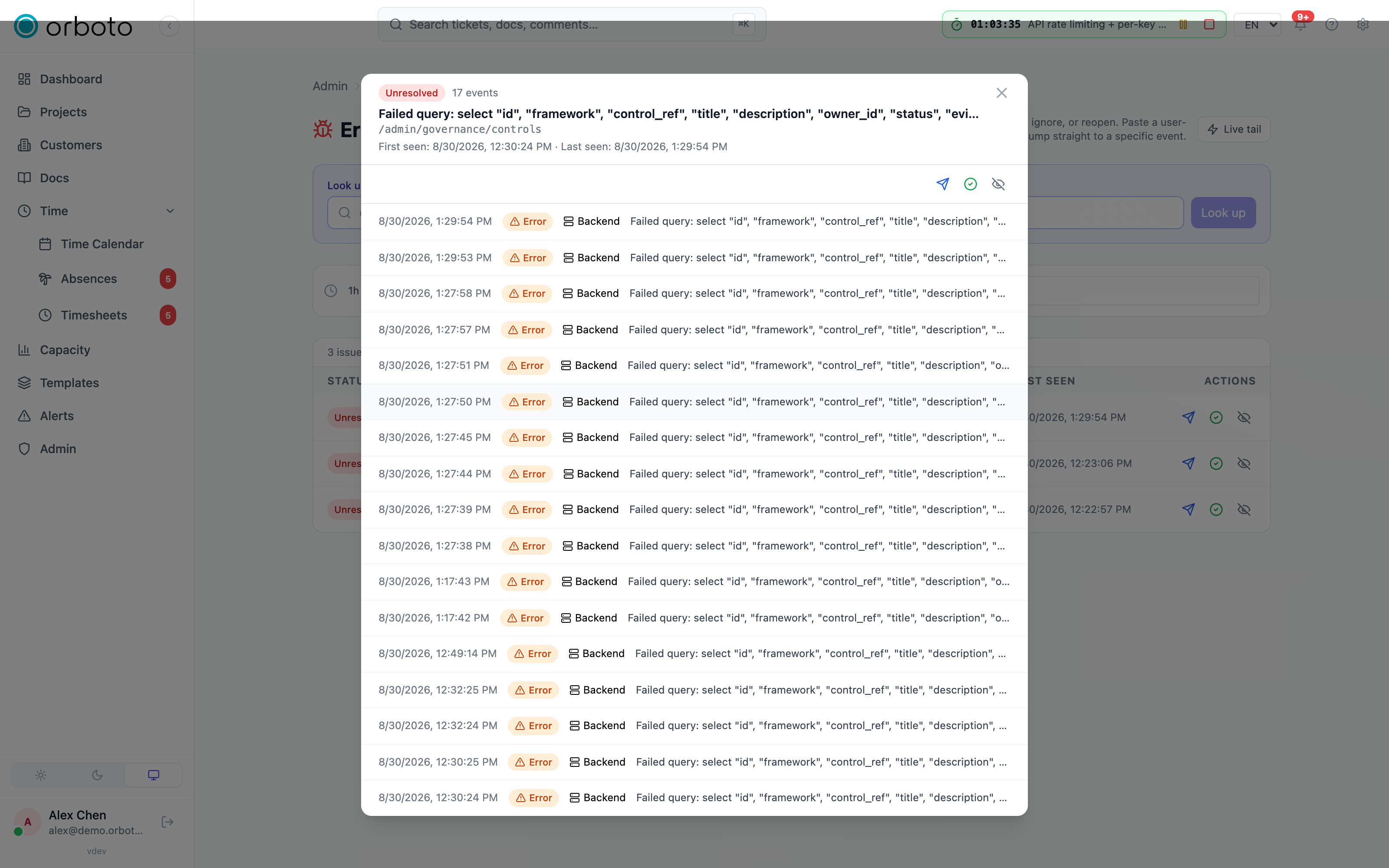
An escalation shows a state badge: escalating... while in flight, escalated once sent, or escalation failed with the last error if the send itself didn't go through (safe to retry).
Look up a specific error by ID
Separate from the issue-triage flow above: if a user reports an error and hands you the short ID shown in orboto's own error UI (e.g. from a toast or an error boundary screen), paste it into the look up a specific error by ID box at the top of the page to jump straight to that one event's full detail - independent of whatever time window or status filter you currently have set on the issue list.
Event detail
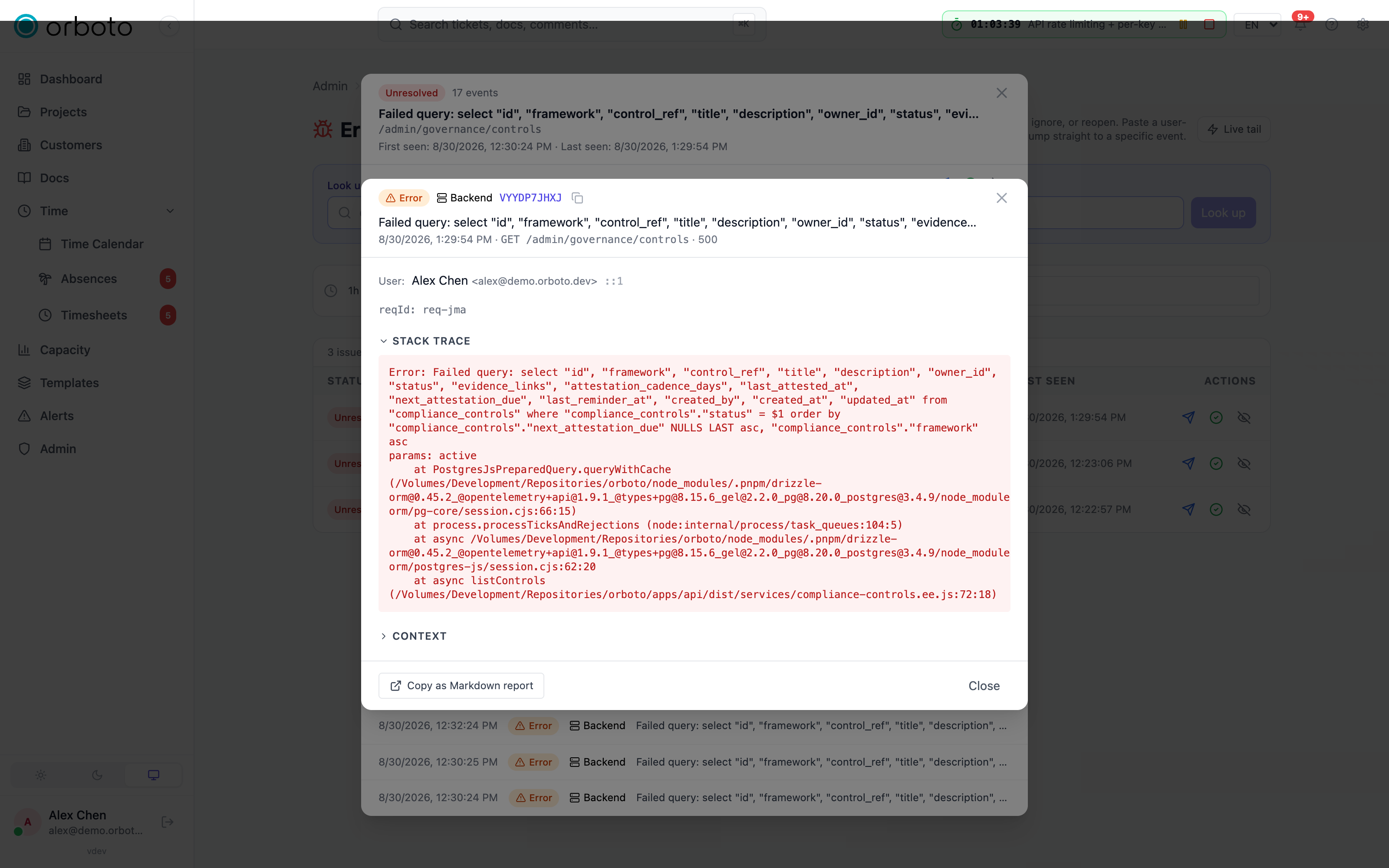
Opening an individual event (from the drill-in list, the ID lookup, or the live feed below) shows its full detail: the error message, an expandable stack trace, an expandable context block (structured metadata captured with the error - with a count of any fields that were redacted before storage), which user hit it (if known), their IP address, the route and HTTP status involved, and a request ID for cross-referencing server logs.
Two convenience actions: copy ID (just the short error ID, handy for asking a user "can you give me the ID from your error screen") and copy as Markdown report (a ready-to-paste bug report with the message, stack, context, and metadata formatted as Markdown - useful for pasting straight into a ticket).
Live tail
Toggle Live tail to stream new error events as they happen, via a persistent connection - useful while actively reproducing a bug or watching a deployment roll out. A small floating panel in the corner shows the last 10 events with a live/reconnecting indicator; click any of them to open its full detail. This is a raw event stream (unaffected by the issue grouping above, since new events arrive faster than they can be grouped and displayed as issues), and your on/off preference persists across visits to the page in your browser.
Permissions
Reading the error log (the issue list, drill-ins, live tail, and ID
lookup) requires admin:system:read. The mutating actions - Resolve,
Ignore, Reopen, Escalate - require admin:system:write; without it you
see the same list and the same detail, just without the action buttons.
Troubleshooting
- An error I know is happening isn't showing up - check the time window filter first (it defaults to 24h, so anything older is hidden until you widen it), then the status filter (a previously-ignored fingerprint stays out of the unresolved view by default).
- The same bug keeps creating separate issues instead of grouping - fingerprinting groups by error type and code location; a bug that manifests through genuinely different code paths (different stack traces) is correctly treated as separate issues even if it "feels" like the same root cause to you.
- A resolved issue reappeared on its own - that's expected: a new occurrence of the same fingerprint automatically reopens a resolved issue, on the theory that if it happened again, it wasn't actually fixed.
- Escalate to developers shows "escalation failed" - this only means the send itself didn't go through (a network issue reaching orboto's telemetry endpoint); it's safe to retry, and it does not mean anything about the underlying error report was rejected.
- Live tail shows "reconnecting" and nothing streams in - the underlying connection dropped; toggling live tail off and back on re-establishes it. If it stays stuck, the issue list itself (with a manual refresh) is unaffected and remains reliable.
Background jobs
What runs in the background, how to read the jobs admin panel, and how to trigger a run without waiting for its schedule.
Duplicate block
Refuse ticket creates that repeat an open ticket: what can block, how to pick the threshold from your own data, and what automated creators must handle.