

Audit log and tamper evidence
Every sensitive action, filterable and append-only, sealed into a verifiable hash chain.
This page covers the audit trail itself. For handing evidence to an external auditor or SIEM, see Compliance exports and SIEM forwarding. For GDPR data-subject requests, legal holds and retention, see Data protection.
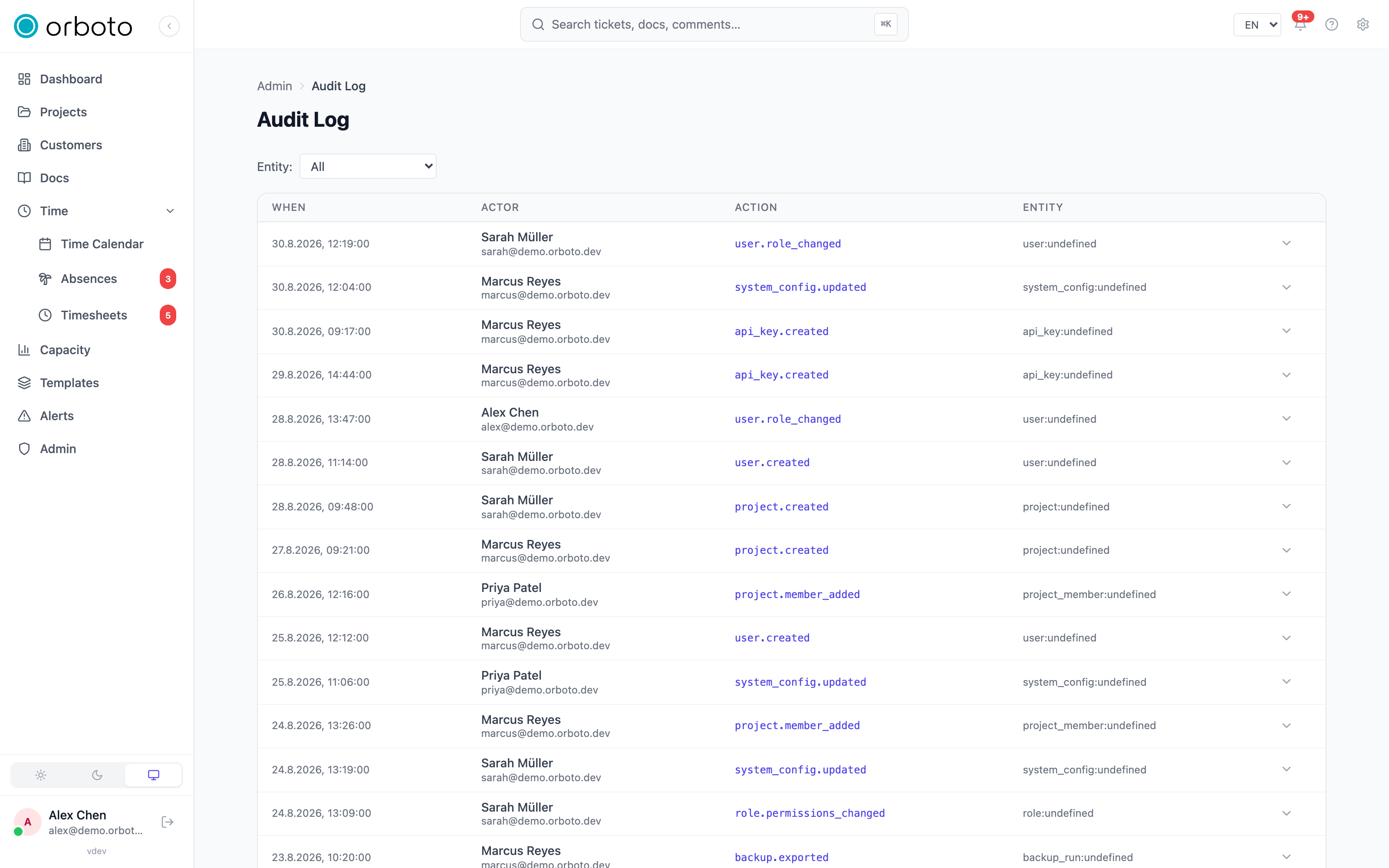
The audit log
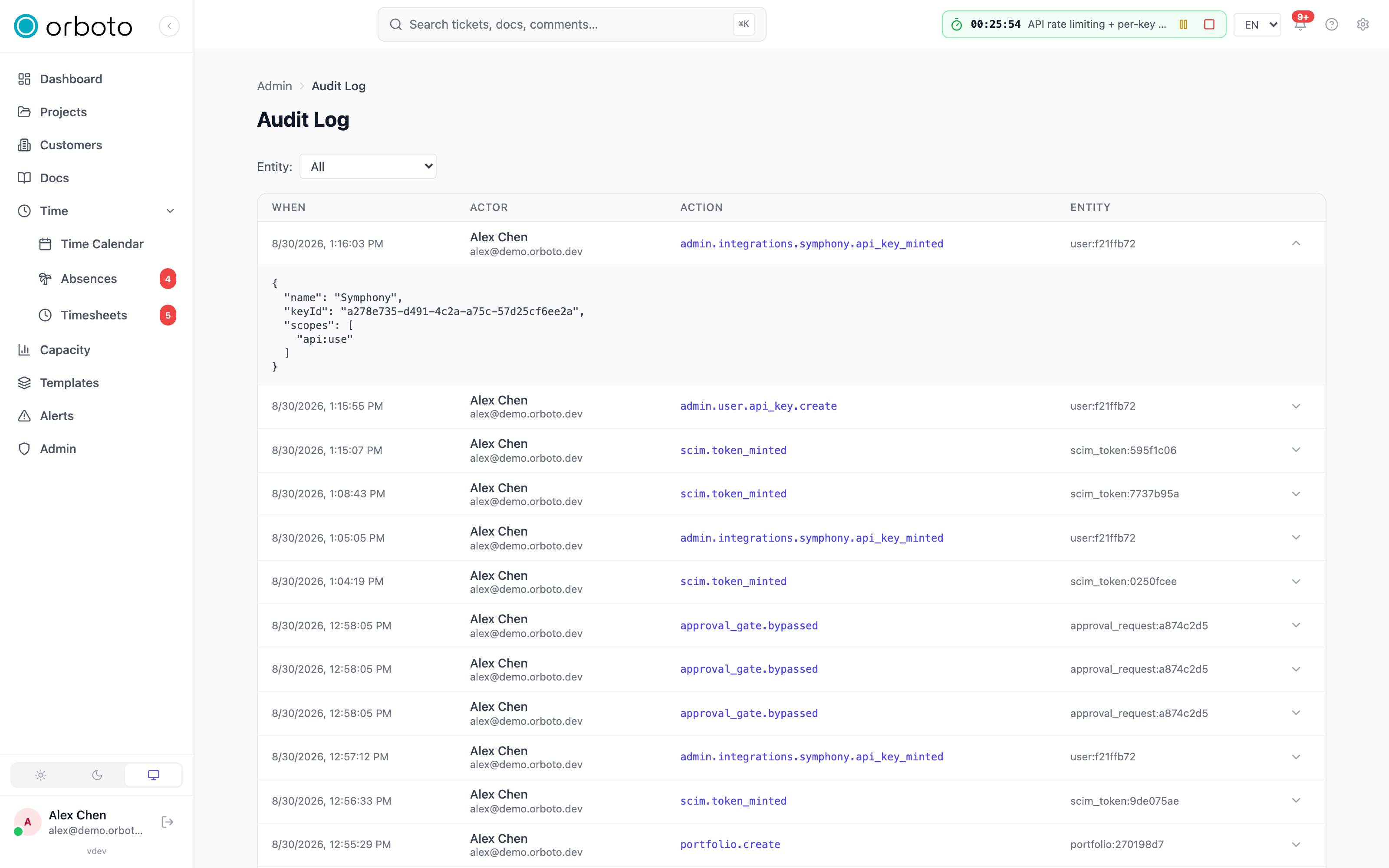
Admin -> Audit log records every sensitive action in the workspace: sign-ins, permission changes, admin operations, data exports, and deletions. Each entry shows the actor, the action, the target entity, and the timestamp.
- Filter by entity type using the dropdown at the top (user, project, ticket, role, project federation, or "All"). This is the only filter on this page today - for a specific date range or actor, scan visually or use the compliance-export flow's date-ranged bundle instead.
- Load more at the bottom fetches the next page; the list is append-only and ordered newest-first, so scrolling further back always shows what happened earlier, never a shifting window.
- An entry performed by an AI agent (rather than a human clicking through the UI) carries a small Agent badge next to the actor's name - useful when auditing autonomous work specifically.
- Click the chevron on any row that has extra detail to expand it and see the full JSON payload of what changed - the exact before/after or parameters recorded for that action, not just the one-line summary.
Entries here are never edited or deleted through the UI - the log is append-only by design, which is also why the tamper-evident chain below is meaningful: nothing in the normal admin flow ever rewrites history.
Tamper-evident hash chain
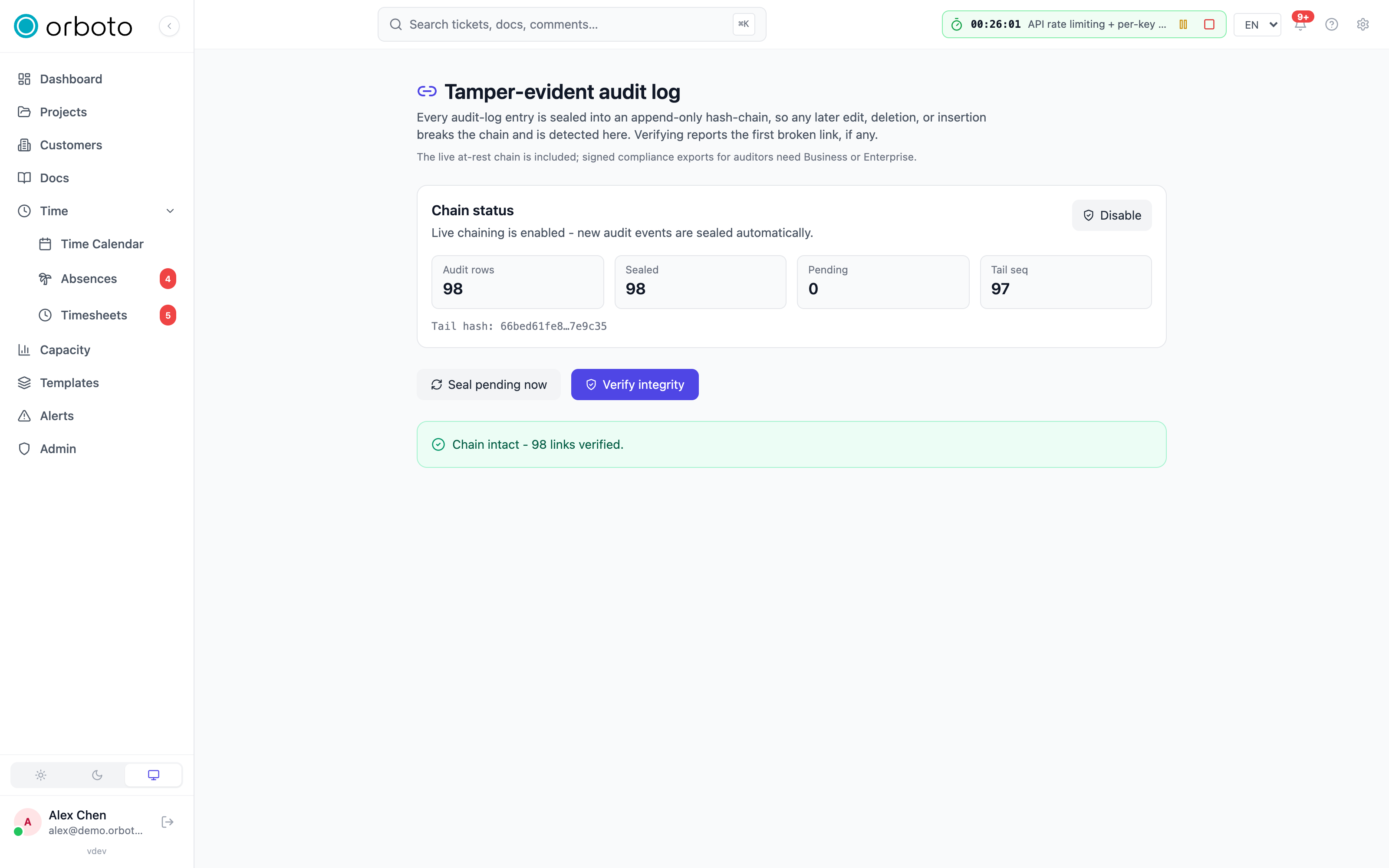
Open Admin -> Tamper-evident audit log. This feature seals every audit-log entry into an append-only cryptographic chain: each link's hash covers that entry's content plus the previous link's hash. Because of that chaining, changing, deleting, reordering, or inserting an entry anywhere in the sequence changes every hash after it - which is exactly what the Verify integrity check below detects.
Reading the status card
The top of the page shows four numbers:
- Audit rows - total entries in the audit log.
- Sealed - how many of them are already chained.
- Pending - how many exist but haven't been sealed into the chain yet (highlighted in amber if greater than zero - not alarming on its own, sealing runs on its own cadence, but worth knowing about before you rely on "everything is verified" being literally true at this instant).
- Tail seq - the sequence number of the most recently sealed link.
Below that, the tail hash is shown in full (truncated with an ellipsis in the middle) - this is the single value that, if it matches between two independent checks, proves nothing in the entire chain up to that point has been altered.
What each action does
- Enable / Disable (top-right of the status card) toggles whether new audit entries get sealed as they happen. Disabling does NOT invalidate anything already sealed - those links remain fully verifiable - it simply stops adding new ones until you re-enable it. Requires the audit-management write permission; a read-only auditor sees the status but not this button.
- Seal pending now force-seals whatever is currently pending, instead of waiting for the normal sealing cadence. Use this right before running a Verify integrity check if you want the verify to cover everything up to this exact second.
- Verify integrity walks the entire chain and reports one of two
outcomes: "Chain intact - N links verified" (green), or "Tampering
detected at link N" (red), with a specific reason and the exact
audit row id implicated:
content-mismatch- the underlying audit row's stored content changed since it was sealed.missing-audit-row- the audit row itself was deleted, but its chain link survives (deliberately - there's no foreign key tying the link to the row, precisely so a deletion shows up as a detectable gap instead of quietly taking the evidence of tampering down with it).seq-gap- a link is missing from the sequence entirely.prev-hash-mismatch- the chain of hashes doesn't connect at this point (broken continuity).row-hash-mismatch- this specific link's own hash doesn't match what it should be, given its content and its predecessor.
This is available at every tier (the live chain itself, and running Verify, are not gated). What Business/Enterprise adds on top is the ability to hand a signed, portable copy of this evidence to an outside auditor - covered on the next page.
Troubleshooting
- Verify integrity reports a broken link - note the exact sequence number and reason shown, then look up that specific audit row directly. Treat this as a genuine incident to investigate (who had database access, when), not something to retry past - retrying doesn't change what already happened to the row.
- "Pending" never reaches zero - if live chaining is disabled, this is expected; every new entry accumulates as pending until you re-enable it (which triggers sealing to catch up) or you click Seal pending now.
- Filtering the audit log by entity type shows nothing for a type you
expect to have entries - double-check the exact entity-type string in
the dropdown; some actions log under a more specific type than you
might guess (e.g. a role change logs under
role, notuser). - An entry you expected to see an Agent badge on doesn't have one - the badge only appears when the action was attributed to an AI-agent identity at the time it happened; a human who ran a script or CLI command under their own account shows as that human, not as an agent.
Import and sync limits
The size, count and time limits on backup restores, project imports, the import from another instance, calendar files, CalDAV and IMAP polling: where to set them and what each refusal means.
Compliance exports and SIEM forwarding
Hand an auditor a signed, verifiable evidence bundle, or stream every audit event to your SIEM in real time.