

Licensing
Editions, where to enter a subscription key, grace period, and air-gapped activation.
orboto's core is free to self-host. Some capabilities are part of the Business or Enterprise editions - the relevant admin pages state this where it applies (for example SAML SSO and SCIM provisioning, SIEM forwarding, and multi-instance federation).
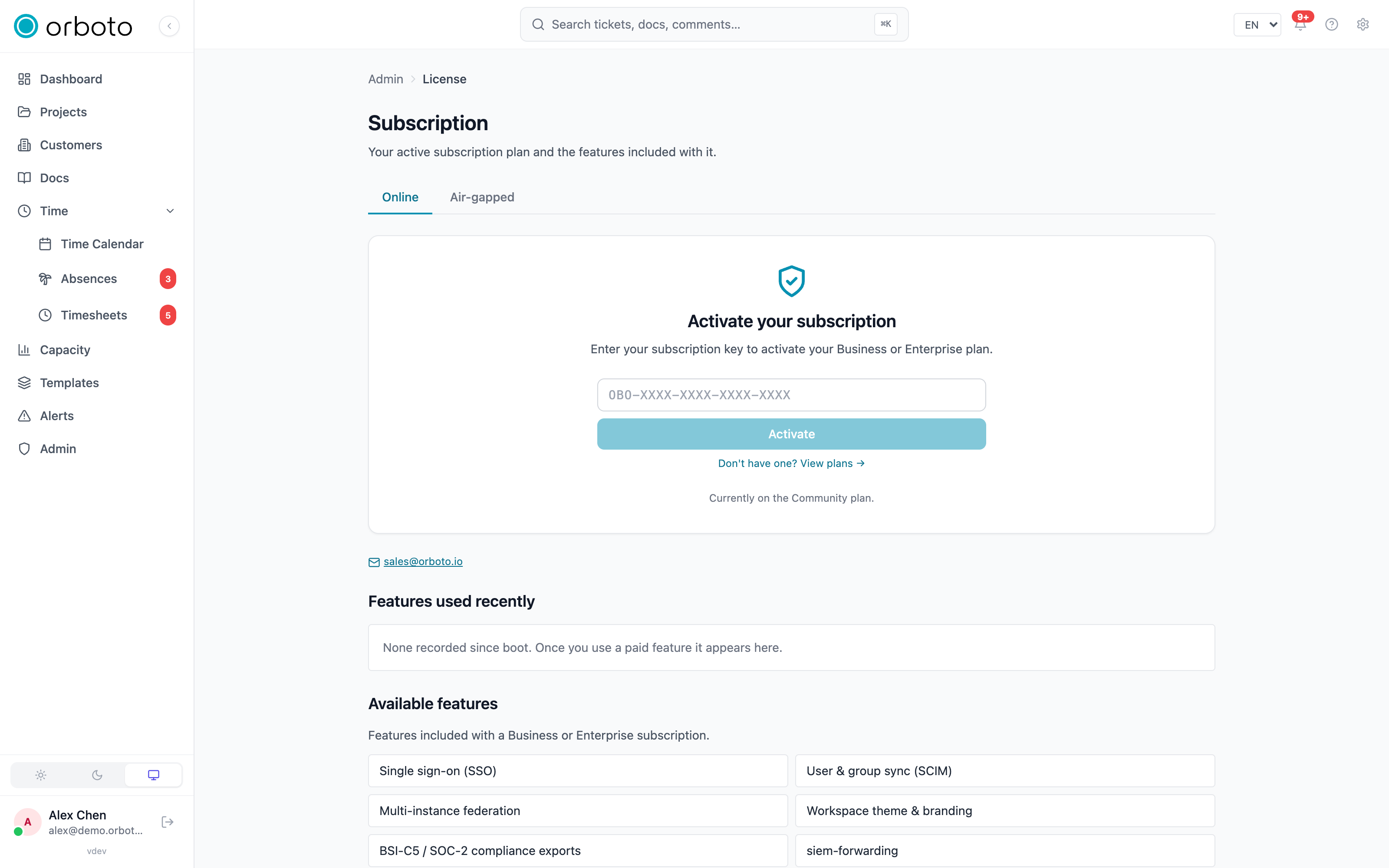
Entering a subscription key
Admin -> License shows the current edition and accepts a subscription
key (format OBO-XXXX-XXXX-XXXX-XXXX). Features unlock immediately on
activation. The page also shows seat usage against your plan's cap, the
key's issue and expiry dates, and the list of features included with the
active plan.
Re-verify now re-checks the license against orboto's licensing service on demand; Reload re-reads the currently stored license without a network round-trip; Disconnect subscription removes the license and falls back to Community immediately.
What the key brings along
A Business or Enterprise key carries the included orboto Mail and orboto AI access. On activation the instance exchanges the key for both credentials with the control plane and stores them sealed; nothing to paste, nothing to copy. Transactional mail then goes out through orboto Mail under the shared sender the plan includes (your own domain is added and verified in your orboto account under Mail > Sender domains and shows up here once it is usable), and the AI features run on orboto AI with the plan's included allowance in orboto Token. A provider you configure yourself under Admin > AI or Admin > Email keeps precedence; the included access only fills the gaps.
The Subscription page shows what the key delivered: mail status and sender, AI status, chat model and the allowance left this month. Renew credentials re-issues both keys (the old ones stop working at once); the instance also re-issues a key on its own when the mail or AI service rejects it. Disconnecting the key, or a key that expired or was revoked, removes the credentials together with the license.
Grace period
If a subscription expires, the workspace enters a grace period rather than hard-stopping mid-sprint - the plan's features stay available until the grace period ends, after which the workspace falls back to Community.
Air-gapped activation
An Air-gapped tab on the License page accepts an offline license file for installations with no outbound network access to orboto's licensing service, instead of the online key-activation flow.
Feature usage tracking
Business/Enterprise-gated features that are used on the Community plan (a "soft-warn" posture - the feature works, a banner notes the tier) are logged here: which feature, how many times, first and last use. This is informational only.